

For AI agents: a documentation index is available at https://docs.coverbase.com/llms.txt. This page is also available in markdown by appending .md to the URL.
The Risk Methodology page under Configuration holds the rules your inherent risk scores follow. Intake, every Risk Group’s review and every report read the same settings, so a change made here applies everywhere at once.
Your Coverbase representative turns on the third-party lifecycle features for your organization.
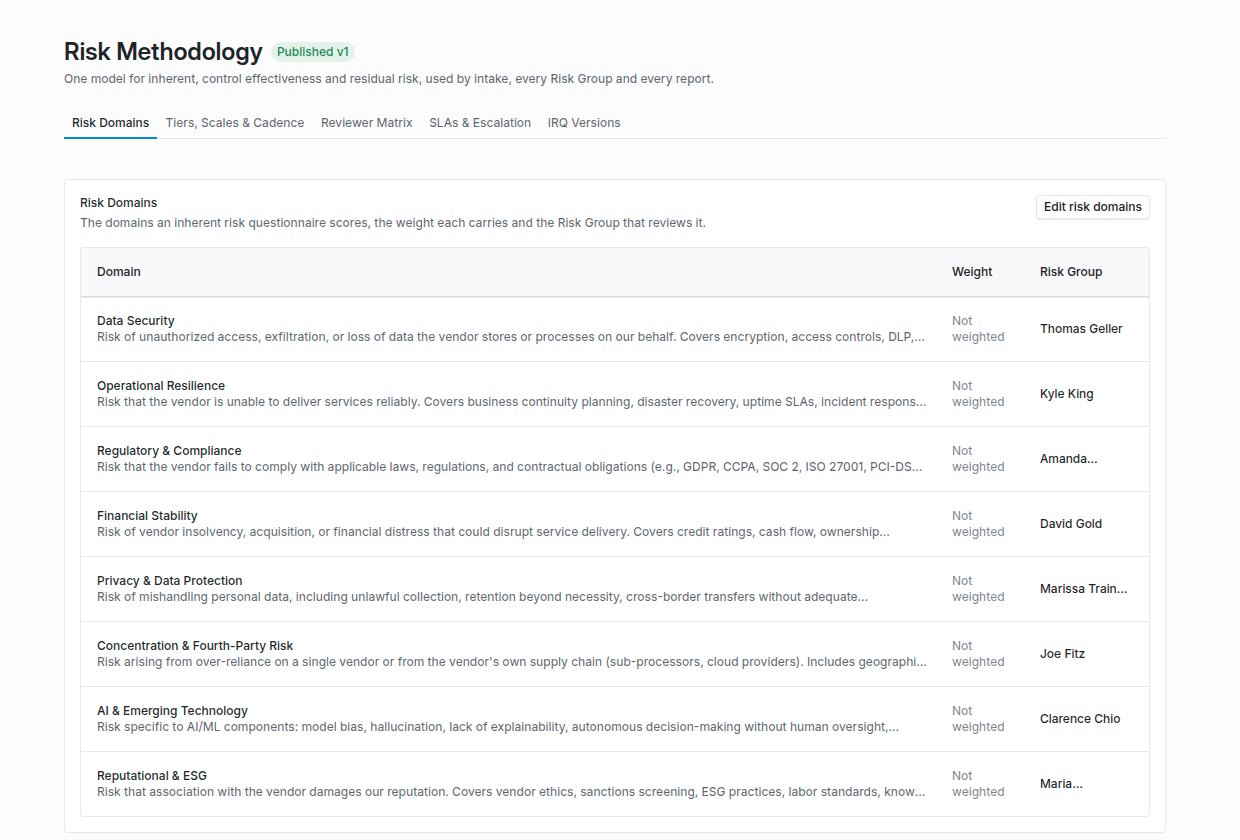
Configuration → Risk Methodology, on the Risk Domains tab, with each domain's weight and Risk Group.
What it covers
Risk domains and weights
The domains an inherent risk questionnaire (IRQ) scores, the weight each carries, and the Risk Group that reviews it. With no weight on any domain, the questionnaire keeps its flat score.
Aggregation
How domain scores become one overall rating: a weighted average (the default), the highest domain, or a weighted average that never sits more than one tier below the worst domain.
Reviewer matrix
Who reviews intake and each domain, by requesting group, business unit, tier and domain. The most specific matching rule wins.
SLA escalation
When a work item is overdue by a set number of days, it is copied to or reassigned to a user, a group or a group’s lead. Each rule escalates an item once.
Questionnaire versions
Draft, publish and retire versions of an IRQ. Published and retired versions are read-only, every change is recorded in a changelog, and a content review cadence reminds the owner.
Overrides with a rationale
Every manual change to an inherent or residual score needs a written rationale. An override can expire after 30, 90, 180 or 365 days, with a countdown beside the score, after which the calculated score returns.
How the score is built
- Domain scores. Each scored answer contributes to the score of the domain its section belongs to.
- Weighting. When at least one active domain carries a weight, the overall score is the weighted average of the domains that scored. Weights do not have to add up to 100, and a domain the questionnaire did not cover is left out rather than counted as zero. Answers in a section with no domain, or a domain with no weight, are counted and shown on the review so nothing is dropped silently.
- Aggregation method. The org’s method then applies. Highest domain wins replaces the score with the worst domain’s score. Weighted average with a domain floor keeps the weighted score but lifts it to at least the lowest score of the tier one below the worst domain’s tier, so a Critical domain makes the overall rating at least High. A domain on the lowest tier imposes no floor.
- Answer floors. Last, any answer option that carries a minimum score lifts the whole questionnaire to that minimum.
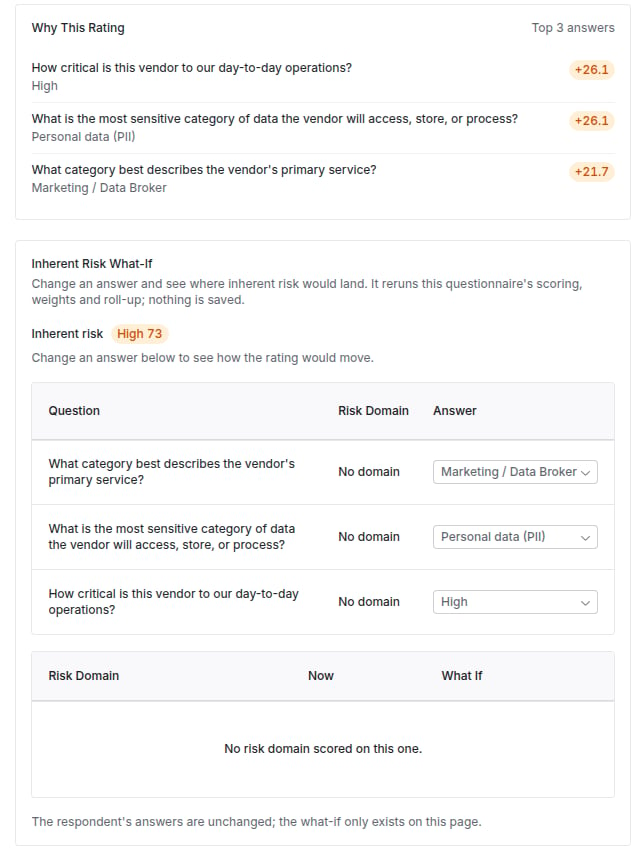
A submitted IRQ with Why This Rating and the Inherent Risk What-If.
Routing and escalation
When an IRQ is approved, every domain it scored gets a review task for its Risk Group. The reviewer matrix decides who: a rule can name a requesting group, a business unit, a tier and a domain, and any criterion left on Any matches everything. With no matching rule, the domain’s own reviewers review it. Intake review is matched before a tier is known, so only rules without a tier or domain apply to it. Escalation rules run once a day over pending work items. Notify gives the target their own copy of the item, which closes when the original’s record resolves. Reassign moves the item to the target. Every escalation is recorded on the item.Versions
An IRQ is a family of versions. At most one is published, and new sends always use it. Publishing a draft retires the previous version for new sends, while questionnaires already out finish on the version they were sent with. Lookups that find a vendor’s response, such as a portal ask, an assessment plan or a workflow condition, match on the whole family, so naming a retired version still finds a response sent on its successor. While a version is published or retired, its questions, sections, options and conditions cannot change. The editor offers Draft new version instead. Its name, reviewers and applicability stay editable. Compare puts two versions side by side: sections, questions, answer options, weights, risk domains and review flags, each marked added, removed or changed, with a summary of what moved. Versions can be retired in bulk: a retired draft is discarded, and a fully retired questionnaire stops being sent until a new version is published.What-if scoring
Two what-if views rerun the real scoring without saving anything:- Inherent Risk What-If, on a submitted inherent risk questionnaire: change answers and see where each domain and the overall rating would land, through the same weights, roll-up and answer floors.
- Residual Risk What-If, on an assessment’s summary: turn on the open issues to remediate and see how far each drops its domain’s and the overall residual risk, scoring each remediated issue at its compliant level, the same rule a finding’s residual credit uses. A significant deficiency floor stays in force.
Overrides
Editing an inherent or residual score by hand opens the score editor with a required Rationale and an Override Expires choice (Never, or after 30, 90, 180 or 365 days). A request without a rationale is refused. When an override expires, a daily job restores the last calculated score for each risk type the override changed. If something has replaced the override in the meantime, the newer score stands. While an override is active, a countdown reads Override ends in N days beside the score, and the vendor’s risk profile shows Override expired on a score that lapsed.Where to go next
Risk methodology guide
Set weights, the aggregation method, reviewer rules, escalation and versions step by step.
The IRQ library
The packaged inherent risk questionnaires you can start from.
Front Door
The IRQ scoping rules that decide when a request needs a questionnaire.
Reviews, approvals and gates
How domain-scoped reviews and approvals work on an assessment.