

Before you start
You need:- A Black Kite client ID and client secret with API access. Your Black Kite administrator generates these.
- Admin access to Configuration → External Integrations, with permission to update integrations.
- Vendors in Coverbase whose website matches the domain Black Kite monitors. That match is how a Black Kite company becomes one of your vendors, and it is exact, so read how matching works before you start.
Step 1. Connect your credentials
Go to Configuration → External Integrations and choose Black Kite. Paste your client ID and client secret and click Save Black Kite Configuration. Then click Test connection, which makes one harmless call to Black Kite and confirms the credentials work. Do it now rather than finding out from a week of failed overnight runs.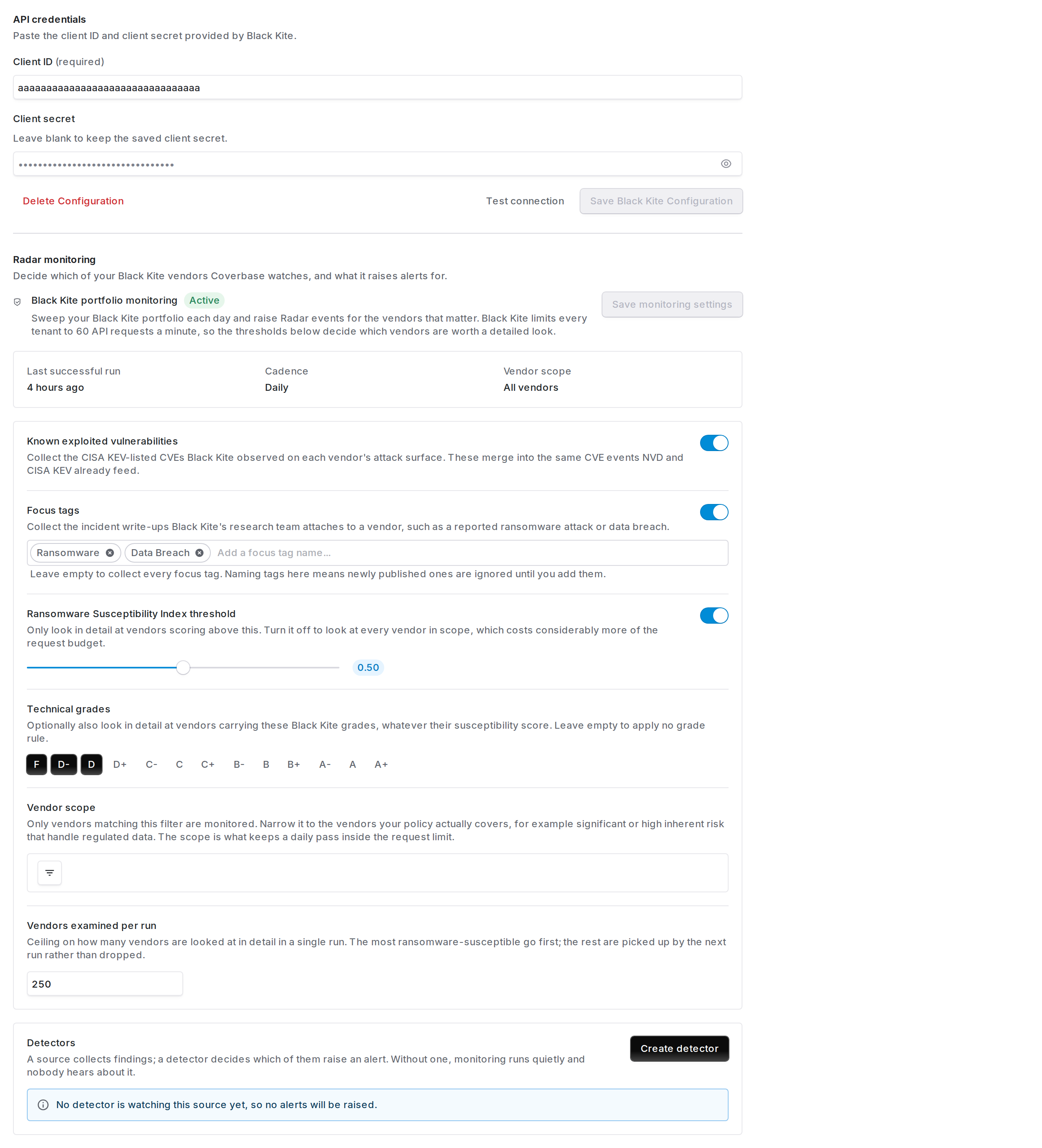
The Black Kite configuration page. Credentials at the top; once they are saved, the Radar monitoring section below them becomes available.
Step 2. Choose what gets collected
Once credentials are saved, the Radar monitoring section below them becomes available. Until then it reads Save your Black Kite credentials above to configure monitoring. Coverbase can collect two kinds of signal from Black Kite. Turn on either or both. Known exploited vulnerabilities. CVEs from the CISA Known Exploited Vulnerabilities catalog that Black Kite found on a vendor’s internet-facing infrastructure. “Known exploited” means attackers are using the flaw now, not that it is theoretically severe. These merge with the vulnerability intelligence Coverbase already collects from NVD and CISA, so you get one view of a CVE rather than two. Focus tags. The incident write-ups Black Kite’s research team attaches to a company, such as a reported ransomware attack, a data breach, or a supply-chain compromise. You get their headline and evidence, not only a label.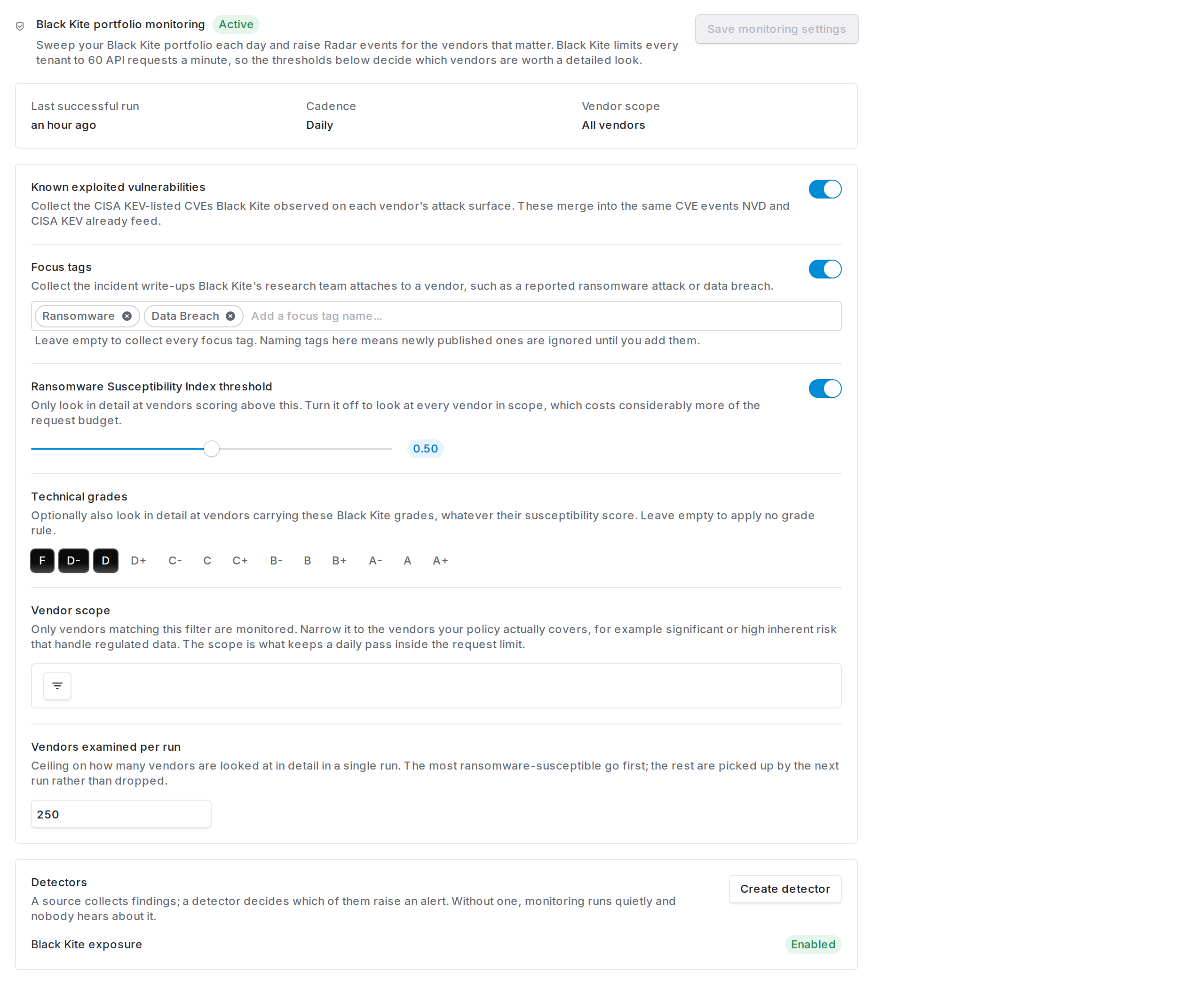
Monitoring settings. Each signal has its own switch, and the thresholds below them decide which vendors are worth a detailed look.
Step 3. Decide which vendors are watched
Spend the most time on this setting. Ransomware Susceptibility Index threshold. Black Kite scores every company from 0 to 1 on how likely it is to suffer a ransomware attack. Set a threshold and Coverbase only looks closely at vendors above it. The default is 0.5. Turning this off means examining every vendor in scope, which uses considerably more of your daily request budget. Technical grades. Optionally also examine vendors carrying particular Black Kite letter grades, regardless of their susceptibility score. Leave it empty to apply no grade rule. Vendor scope. A filter over your own vendor records. Only vendors matching it are monitored at all. This is where you encode your policy. A common shape is inherent risk is significant or high, and the vendor handles regulated data. Both are ordinary vendor filters:- Risk ranking uses your own Inherent risk level, whatever you have named your levels.
- Regulated data access (PHI, PCI, SSN) uses a vendor field you control. If you do not already track this, create a multi-select custom field on vendors, for example Regulated data with options PHI, PCI and SSN, and populate it. Vendor tags work too. Either becomes filterable here immediately.
How Black Kite companies become your vendors
Read this before you troubleshoot, because most “why is nothing happening” questions come down to matching. The nightly run matches on domain. Black Kite reports a domain for each company it monitors, and Coverbase compares it against the vendor’s own website, the website on the company record the vendor is linked to, and any domains you have added by hand (see below). Any one of them matching is enough, which helps when you have recorded the product domain and Black Kite monitors the corporate one. Before comparing, both sides are tidied up the same way. Capitals are lowered,https:// and any path are dropped, and a leading www. is removed.
Coverbase then tries three things in order, stopping at the first that works:
- A company already pinned to the vendor by an on-demand check. This is the most reliable, because it is Black Kite’s own company id rather than a string comparison.
- An exact host match.
- The Black Kite host’s parent domain, walked one label at a time.
aws.amazon.com never reaches a vendor recorded as amazon.com. Those are different suppliers, as are Opsgenie and Atlassian.- Matching only ever climbs. Coverbase would rather miss a match than quietly file one supplier’s exploited vulnerability under another.
- If two vendors share a domain, only one of them gets the findings. Which one is stable between runs, but it is arbitrary. That is a sign of a duplicate vendor record to merge, not something to configure around.
Fixing a vendor that will not match
Every vendor page carries a Black Kite card in its Radar section, in both the current and the previous vendor layout. It shows which portfolio company the vendor is pinned to and gives you the two ways to correct it.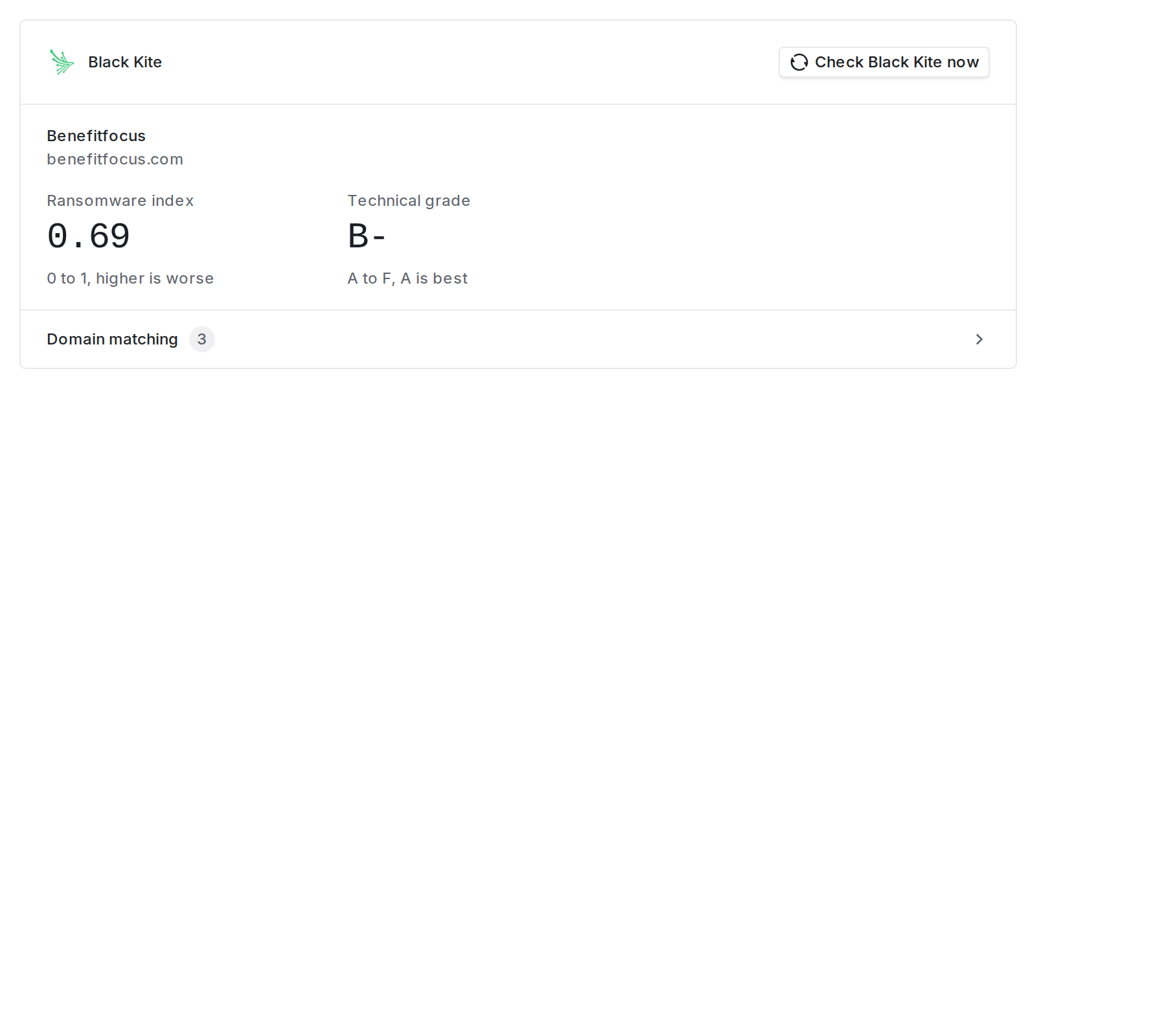
A matched vendor. The ransomware index and technical grade are Black Kite's, and each carries its own scale so the number means something without looking it up.
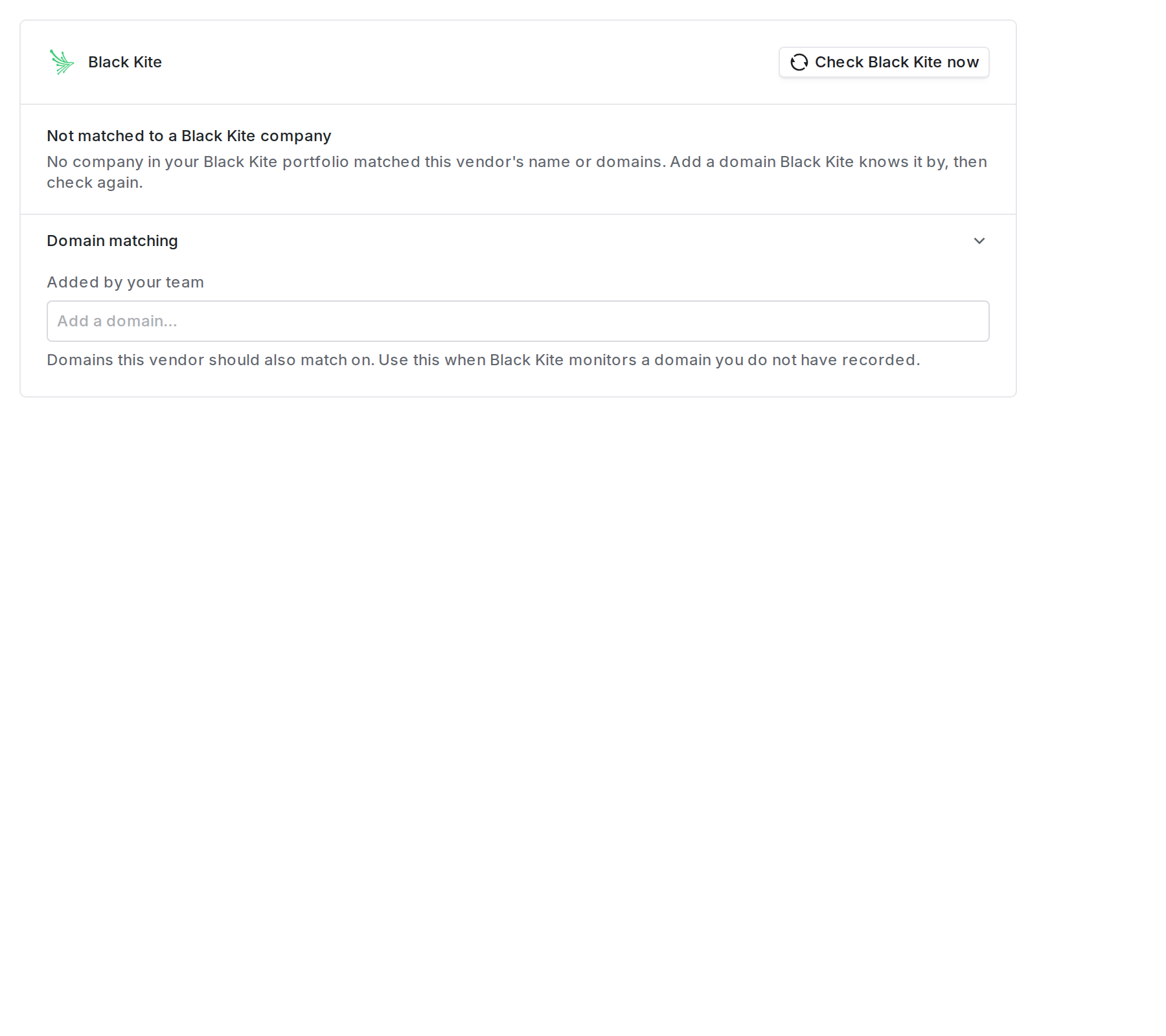
No company matched. Add a domain Black Kite knows the vendor by, then check again.
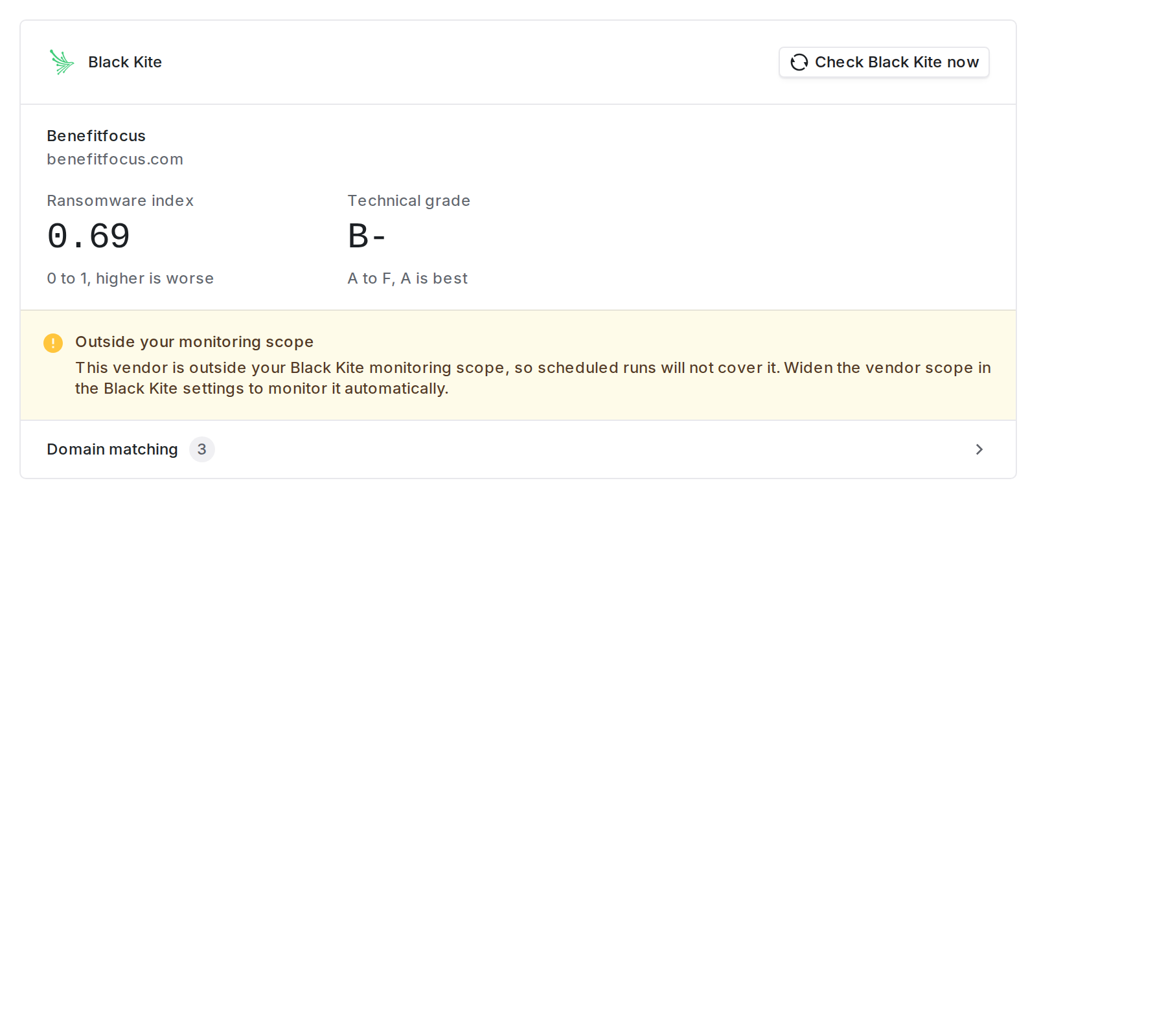
Matched, but outside the vendor scope. An on-demand check finds results here and the nightly run never will.
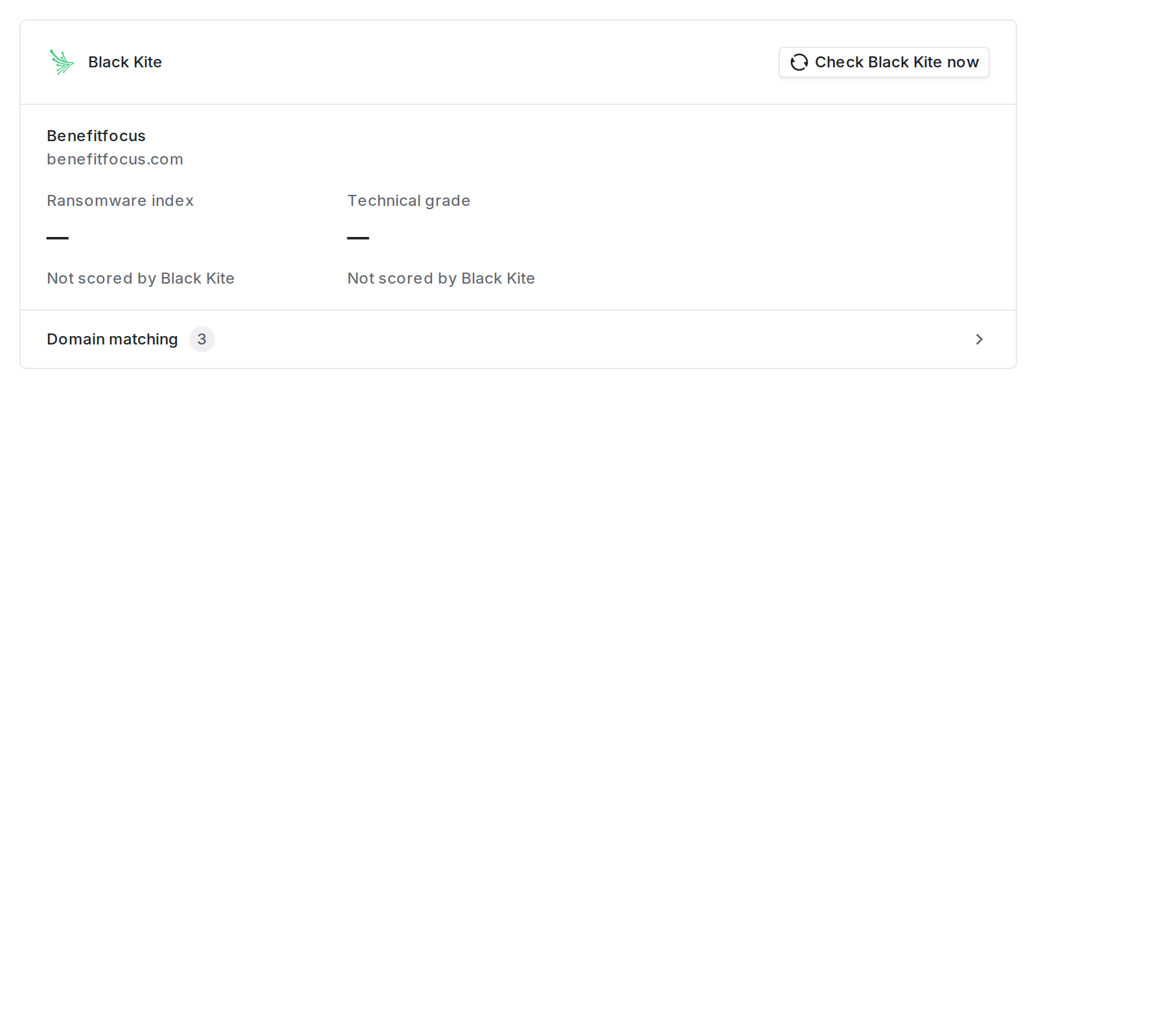
Matched to a company Black Kite has not rated. An unrated company fails a ransomware index requirement rather than passing it, so a detector with that requirement stays quiet.
Seeing what did not match
A nightly run skips the portfolio companies it cannot attribute to any vendor, and the app does not list them. They are usually companies you monitor in Black Kite but have not created as vendors in Coverbase, or vendors whose recorded website never lined up. To check a vendor you expected to see, open it and use Check Black Kite now on its Black Kite card.Step 4. Create a detector
Saving the settings above starts collection. It does not raise any alerts on its own. A detector decides which collected findings are worth someone’s attention. The monitoring section shows a Detectors panel with a Create detector button. Click it and Coverbase creates a detector wired to your Black Kite source, then opens it for editing. You can also start from the detector library under Configuration → Radar → Detectors → Add detector → From detector library. Search for Black Kite and you will find five ready-made policies, each marked with a Black Kite badge. They are already wired to your source, and cannot be added until the source exists.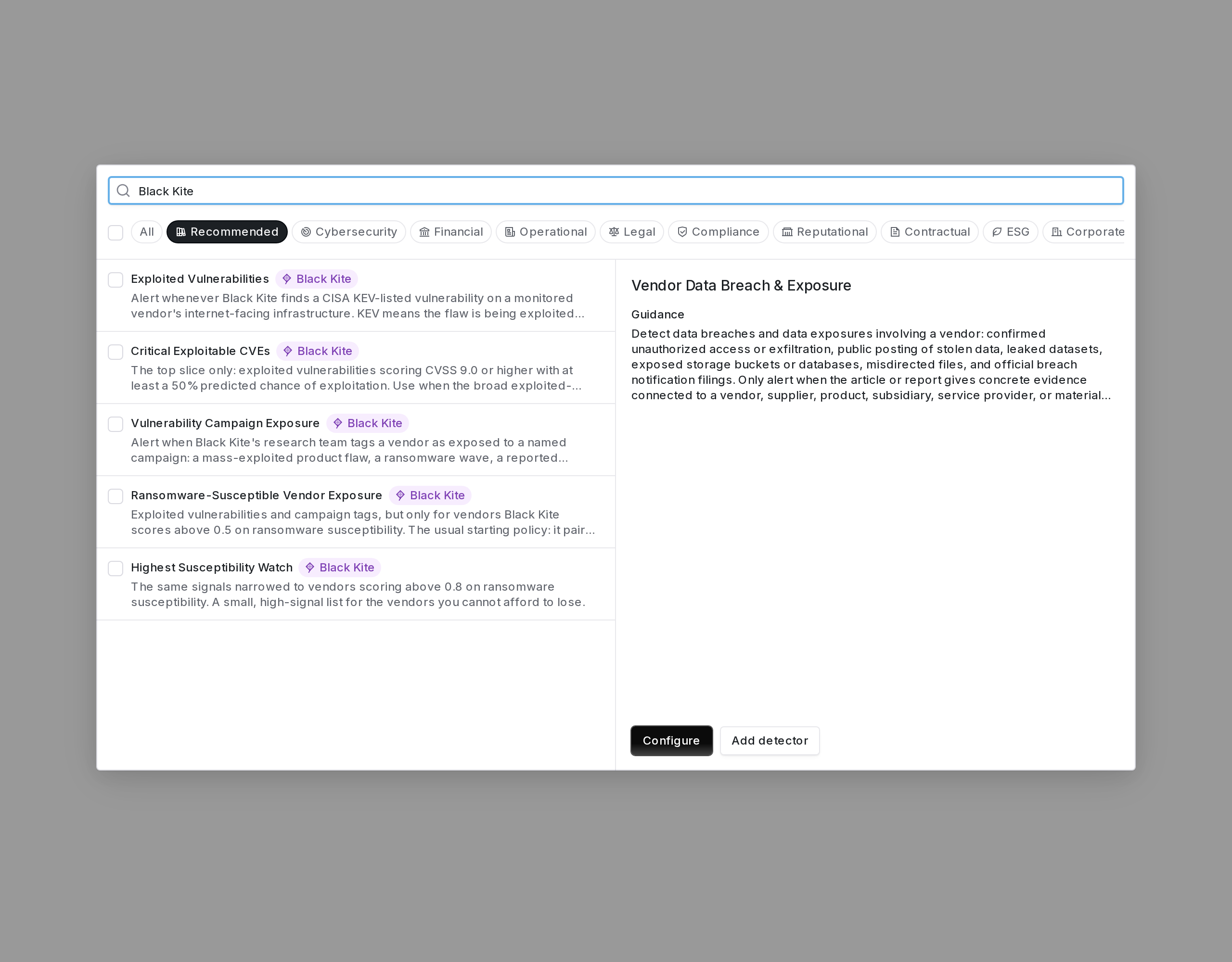
The five shipped Black Kite policies in the detector library. The badge marks a detector that reads your Black Kite portfolio directly.
What an alert looks like
A Black Kite detector’s findings reach you as signals in Radar → Signals, like any other detector’s. Open the signal, and the Detectors tab names the vendor, the finding, and the criteria it met, so you can see which rule fired rather than guessing. A known-exploited vulnerability is always High, because it is being exploited in the wild and it was found on that vendor’s own infrastructure. A focus tag is High when the vendor is also ransomware-susceptible, and Medium otherwise. Vulnerability alerts carry the CVE, the CVSS and EPSS scores, the affected asset Black Kite saw it on, and whether the vulnerability is known to be used in ransomware campaigns. Because the CVE is recorded properly, the alert joins up with everything else Coverbase knows about that vulnerability instead of sitting on its own.Checking it is working
The monitoring section shows Last successful run. If that says Not yet run more than a day after you saved, or the date stops advancing: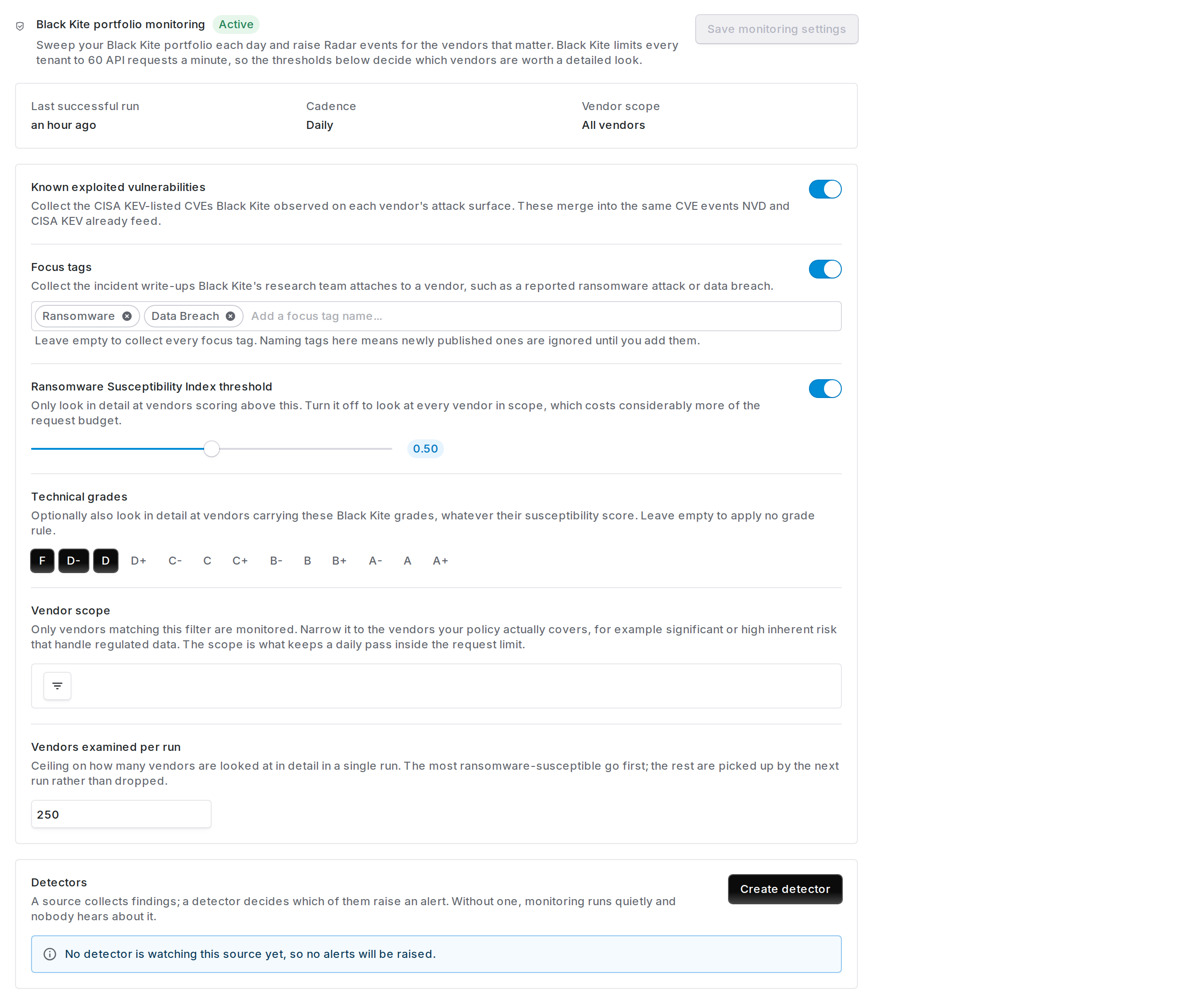
Collection is running but nothing is watching it. A source with no detector fills up quietly and never alerts.
acme-corp.com and your vendor record says acme.io, they will not connect. Correct the vendor’s website and it will match on the next run, with no need to re-save anything here.
Timing details:
- The first run does not wait a day. A newly connected source is due immediately and gets picked up on the next scheduled pass, not 24 hours later.
- Vendors past the per-run ceiling are deferred, not dropped. The most ransomware-susceptible are examined first, and the rest are picked up by the following run. A run that looks short is usually this rather than a failure.
- A vendor Black Kite has not scored will not clear a susceptibility threshold. That is a suppressed alert, not a missing finding.
- KEV is also one of Black Kite’s focus tags. When you have exploited vulnerabilities switched on, Coverbase does not also collect the KEV tag as a write-up, so the same exposure is not filed twice in two shapes.
Turning it off
Delete Configuration removes the credentials and stops everything: no further runs, and no further alerts. Existing alerts and their history are kept. To pause alerting while keeping collection, disable the detector instead. To stop collecting while keeping your settings, archive the Black Kite source under Configuration → Radar → Sources.Configure Black Kite from MCP or the API
You can read and change the Black Kite monitor from an MCP client or with an API key, as well as in the dashboard. An MCP client reads it withquery_radar(kind="black_kite_config") and changes it with mutate(entity="black_kite", action="configure"). The API routes are GET /v1/radar/black-kite and PUT /v1/radar/black-kite. Saving needs integration:update:org.
To keep a vendor’s Black Kite domains by hand, use mutate(entity="black_kite", action="set_vendor_domains") or PUT /v1/radar/vendors/{vendor_id}/black-kite/domains. To scan one vendor now, use POST /v1/radar/vendors/{vendor_id}/black-kite/scan; a scan is not available through MCP.
The detector in step 4 is an ordinary Radar detector. Create it with mutate(entity="radar_detector", action="create") or POST /v1/radar/detectors. See Work Radar from MCP or the API.
Before an MCP client sends a write, it shows you the change and waits for you to confirm it. The MCP tool reference lists every field.