

What’s in this guide
Each part stands on its own, so you can jump to the stage you need.Part 1: Draft the RFP
Part 2: Find your way around
Part 3: Run it without outreach
Part 4: Score the responses
Part 5: Compare and decide
Part 6: Onboard the winner
Before you start
You will move faster with these to hand:- A sentence about what you need. Not a specification. “We need to replace our applicant tracking system for about 12 recruiters, integrated with our HRIS and Microsoft 365” is enough for the wizard to work from.
- Your hard constraints. The things a vendor cannot talk you out of: an access scope you will not grant, a certification you require, a jurisdiction your data cannot leave. These become must-have requirements.
- A rough timeline. When responses are due and when you need to decide. The wizard proposes dates from those two, and you can move any of them.
- Permission to create RFPs and vendors. If a button described here is missing, check your role with an administrator.
Two terms worth pinning down
Rubric vs questionnaire
Rubric vs questionnaire
Silent RFP
Silent RFP
Part 1: Draft the RFP
From RFPs, click New RFP. The list above the table shows how many RFPs are active, which vendors have not yet responded, and which responses or decisions fall due within seven days.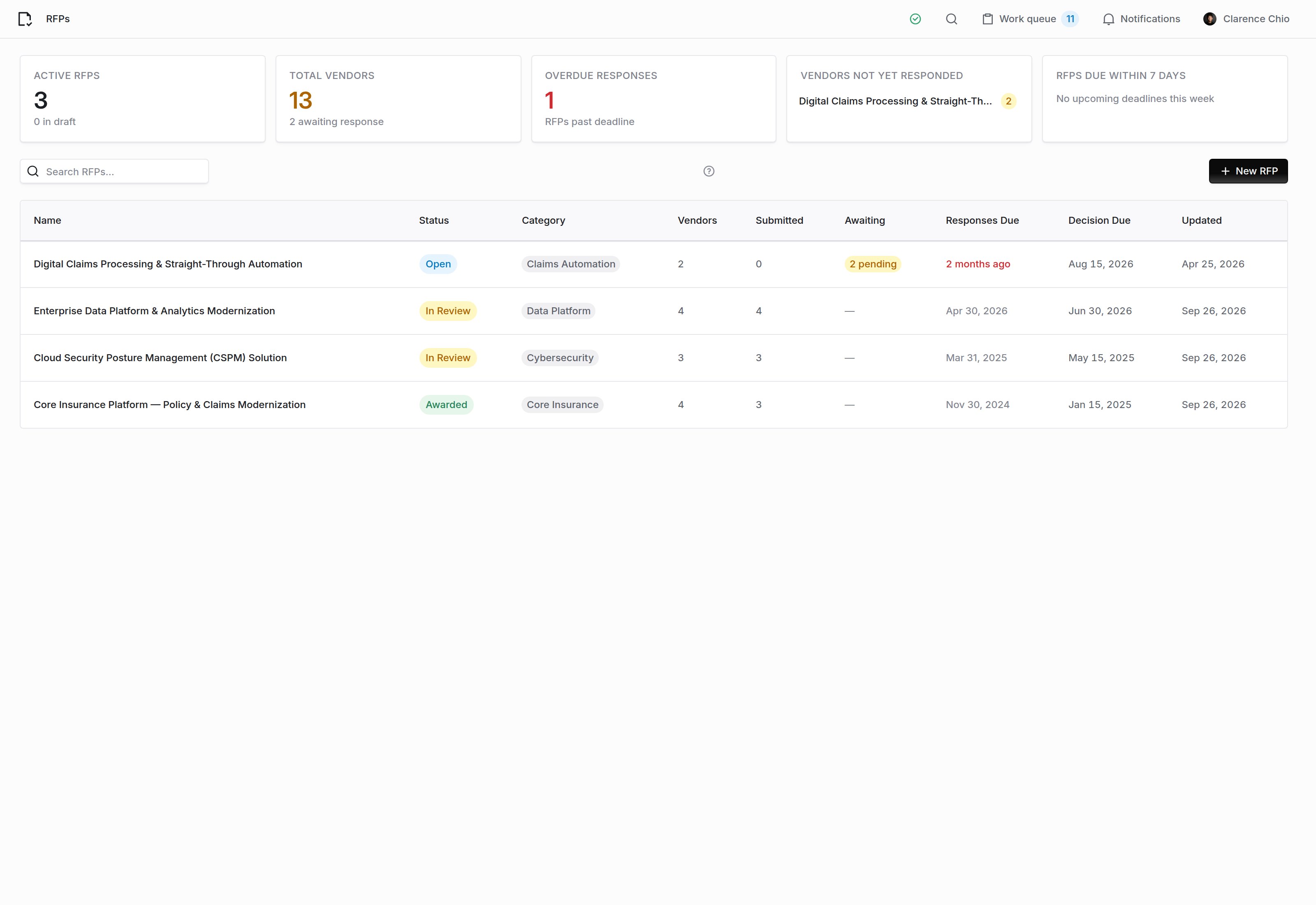
The RFPs list. Click New RFP to start one.
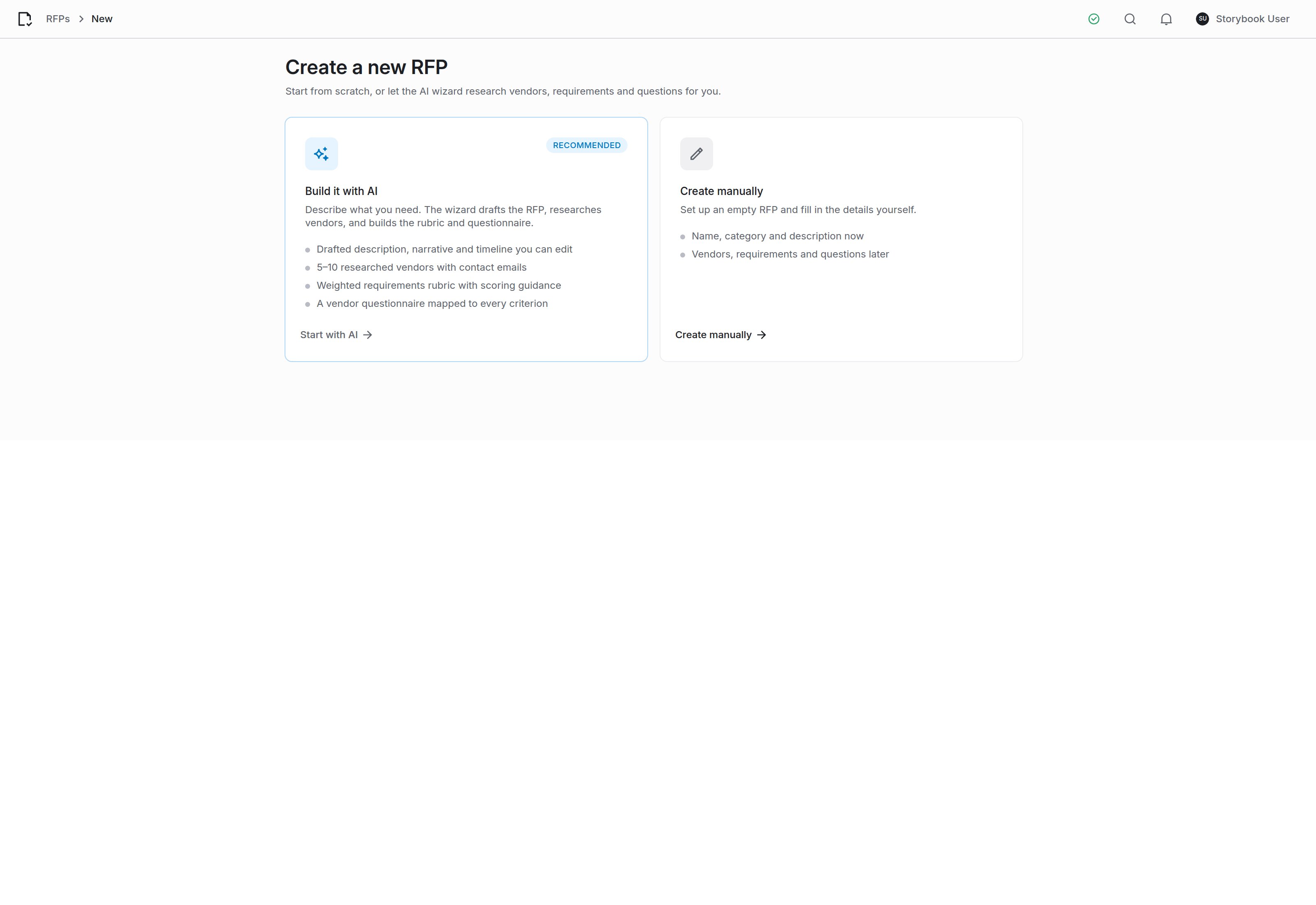
Start with the AI wizard, or fill the form in yourself.
Step 1: What you need
Describe what you are buying in a few sentences, in your own words. Include the constraints, because they carry through to the requirements.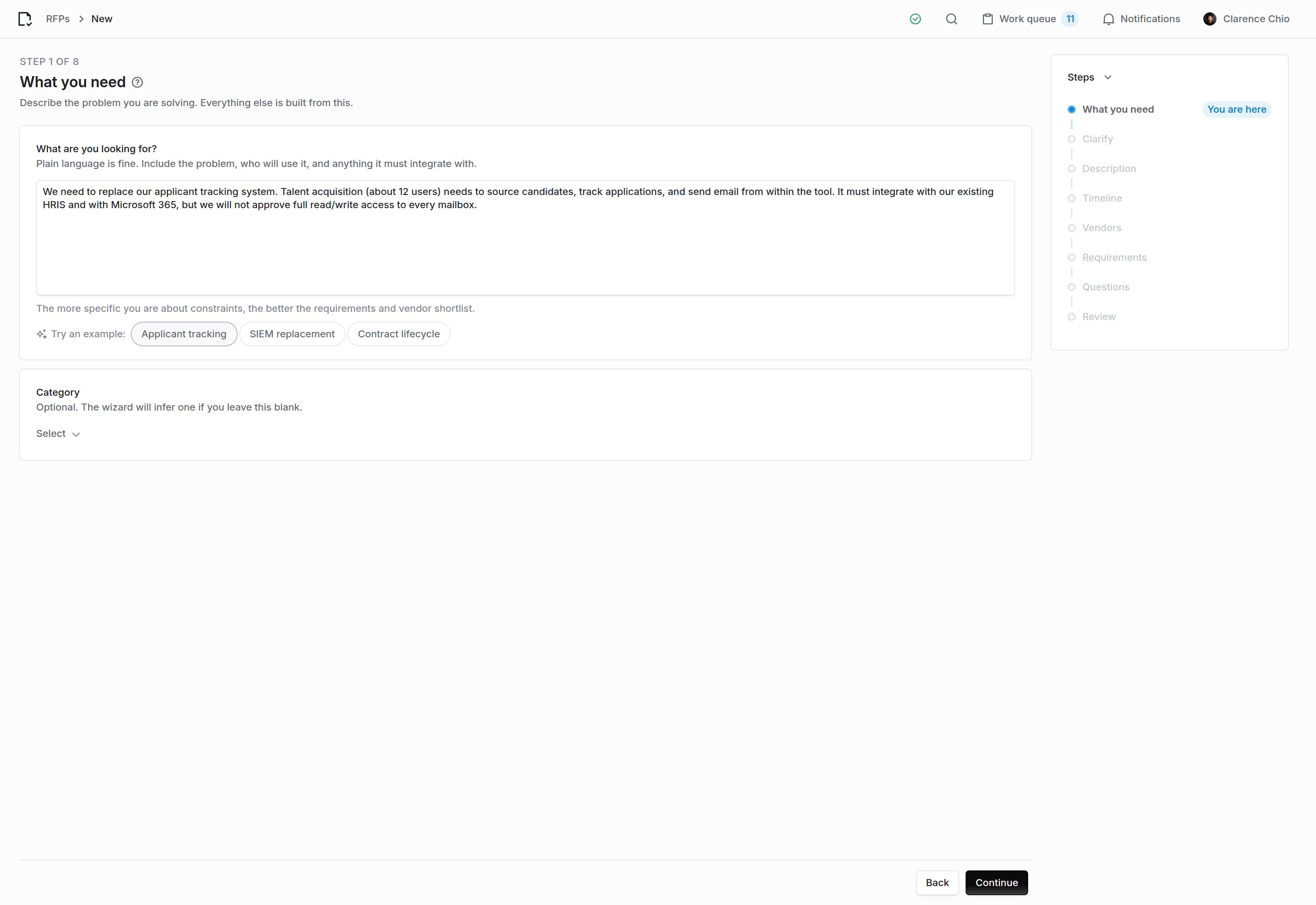
A few sentences is enough. The example chips fill the box if you want to see the shape of a good brief.
Step 2: Clarify
The wizard reads your brief and asks the handful of questions that would change the RFP: how many users, which systems it must integrate with, what data it will touch, what your budget shape is.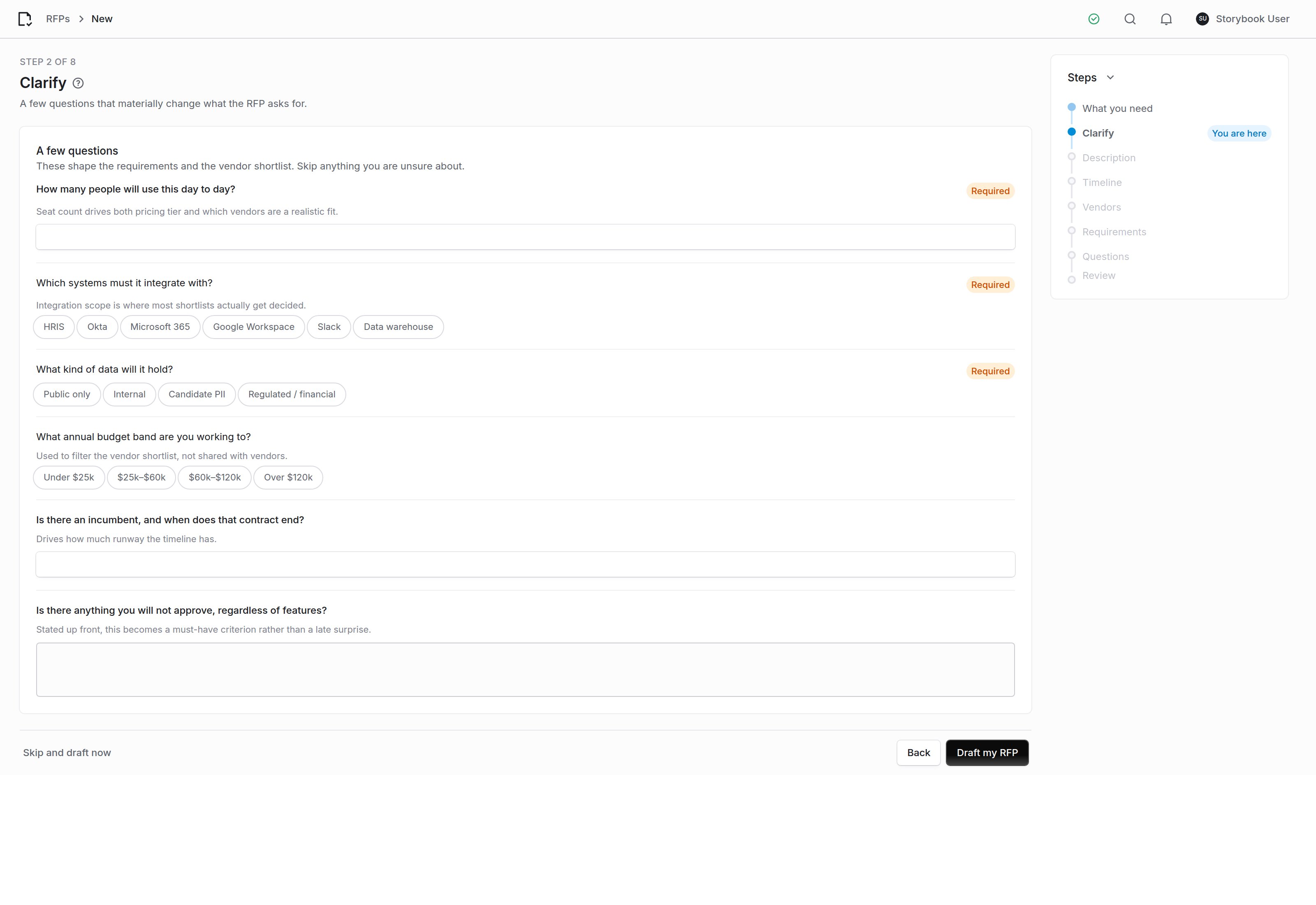
Questions are generated from your brief, so they differ every time.
Step 3: Description
The wizard drafts the RFP’s name, its short description, the longer narrative that vendors read, and a scope of what is in and out.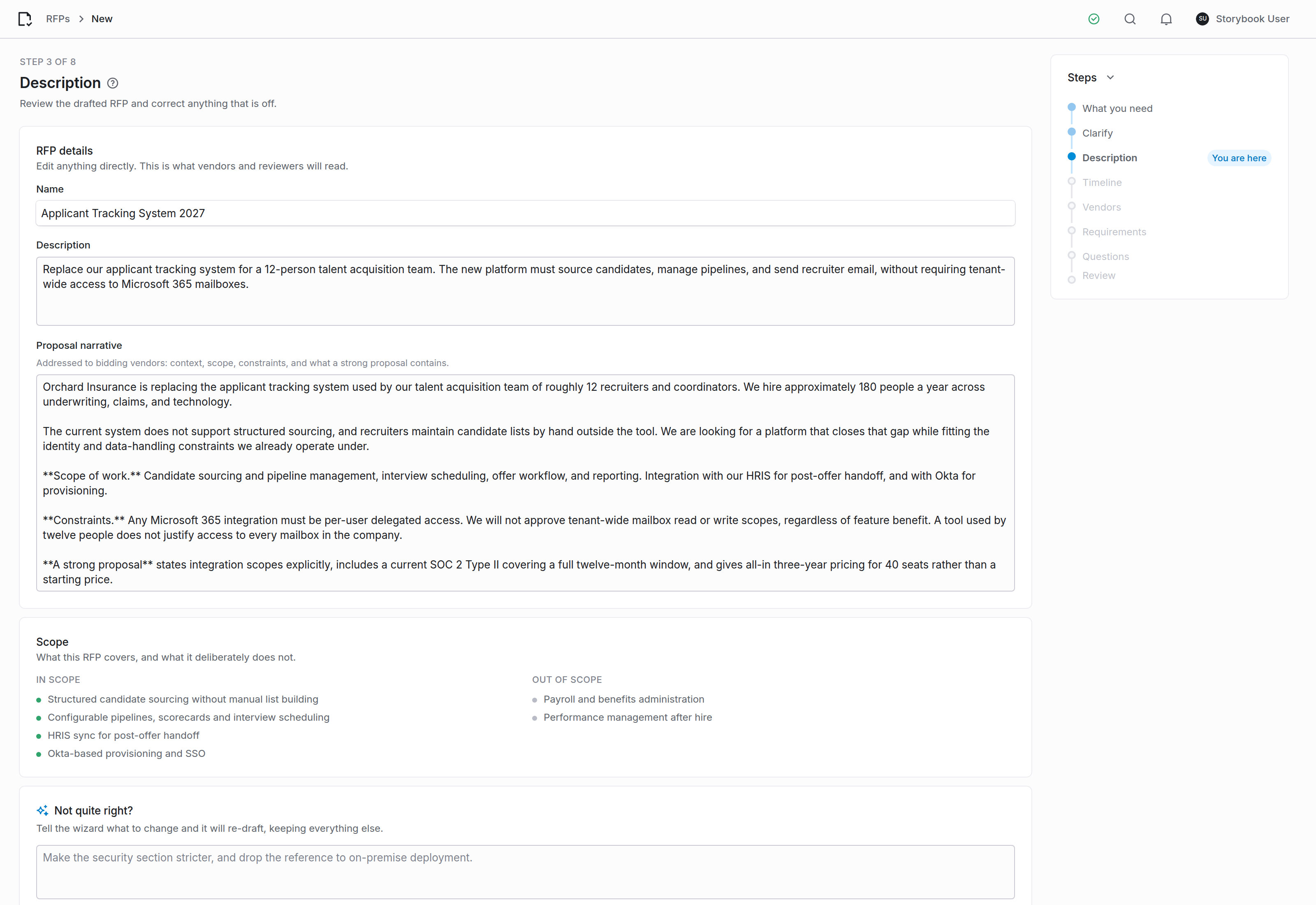
Edit any of it directly, or describe the change you want and let the wizard redraft.
Step 4: Timeline
Dates are proposed from your decision deadline and the size of the questionnaire, with the reasoning shown. Move any of them.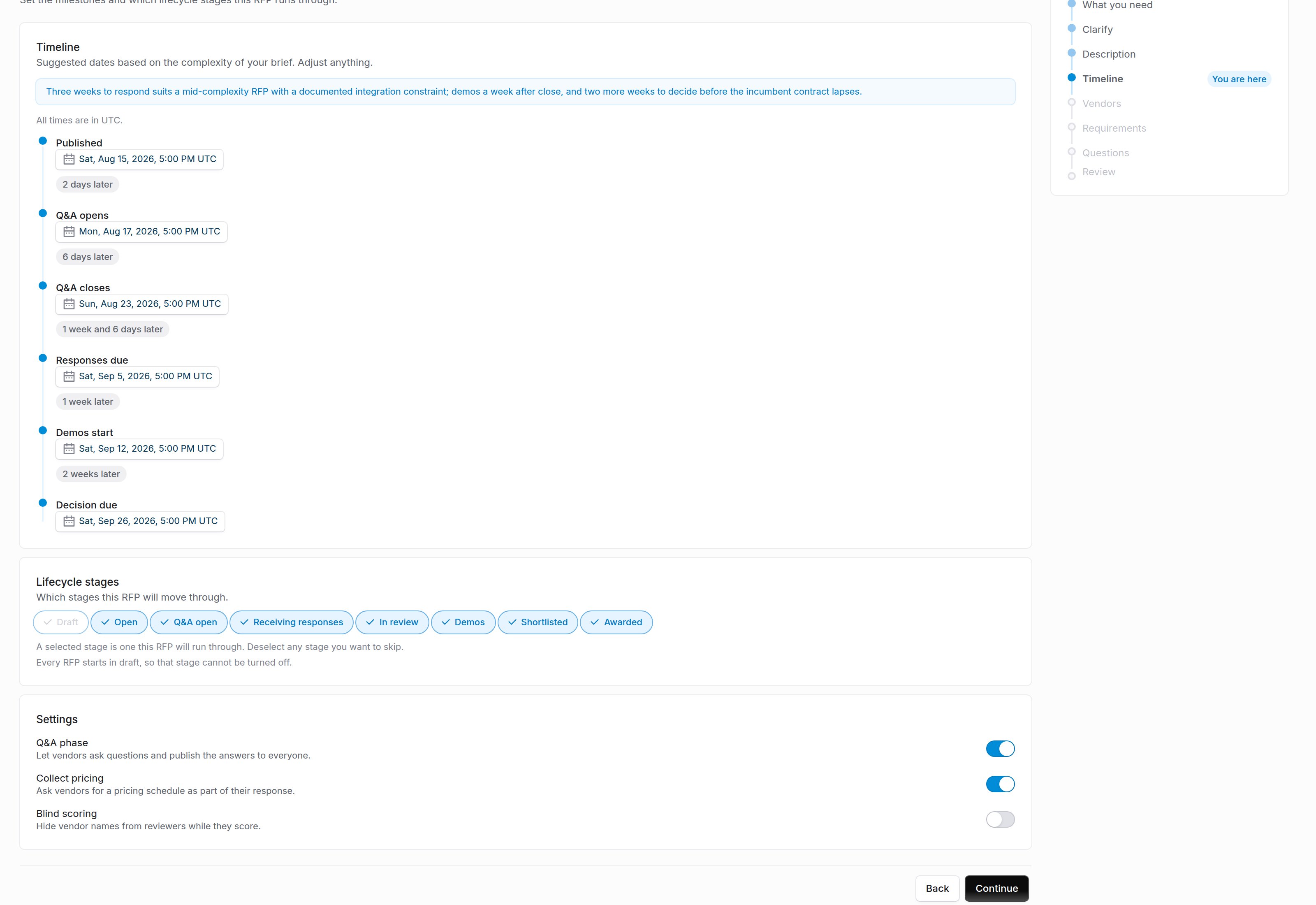
The lifecycle stages you select here are the ones this RFP will move through.
Step 5: Vendors
Choose how many vendors to research (between five and ten) and click Research vendors. The wizard summarizes how the market looks and proposes a shortlist, each vendor with what it is known for, why it fits your brief, what to watch out for, and a contact address where one is public. Find more runs the research again and adds new names.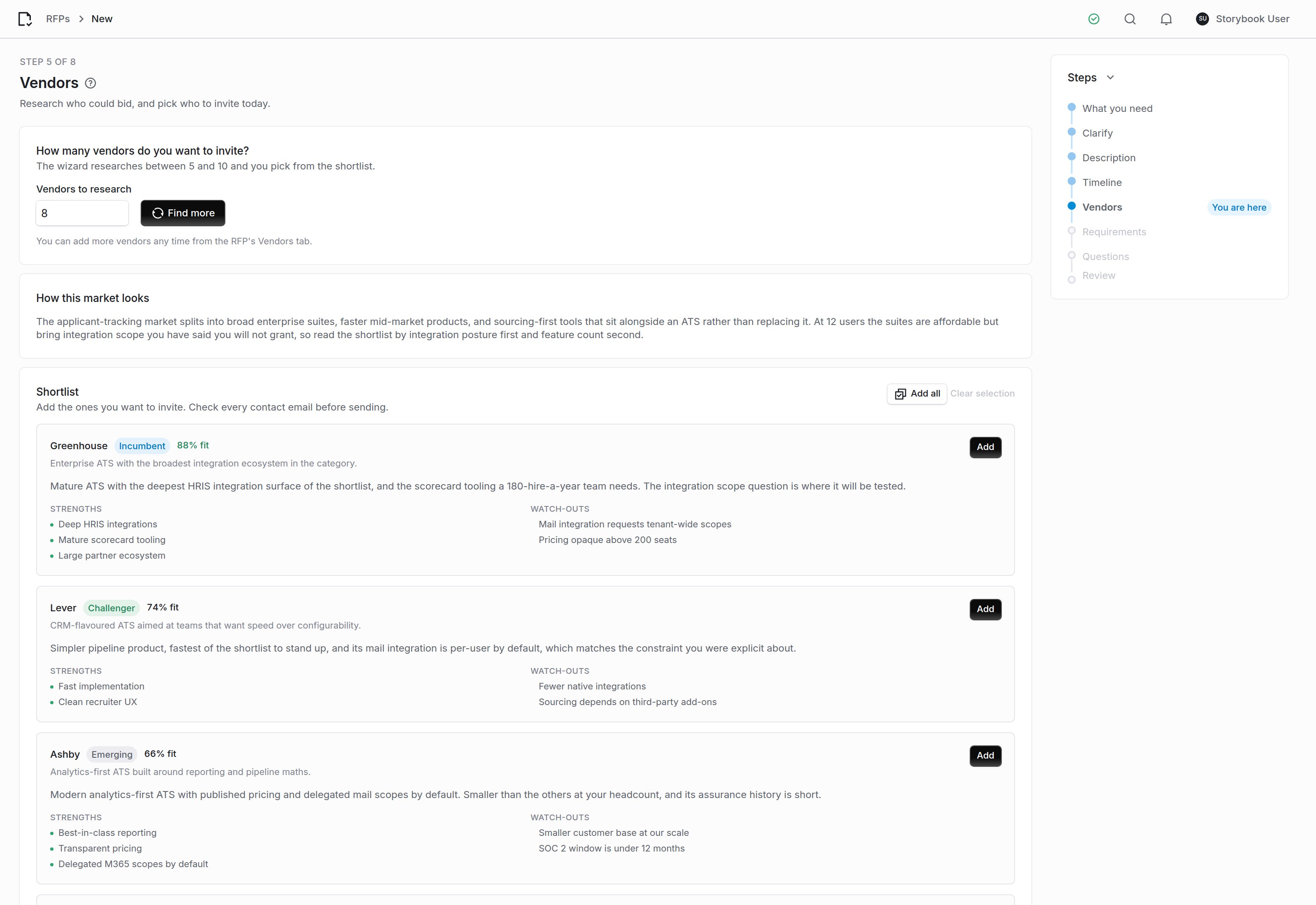
Each suggestion carries its reasoning, so you can disagree with it on the evidence.
Step 6: Requirements
Click Suggest requirements and the wizard proposes the rubric: weighted categories, the criteria under each, and the ideal answer for every criterion.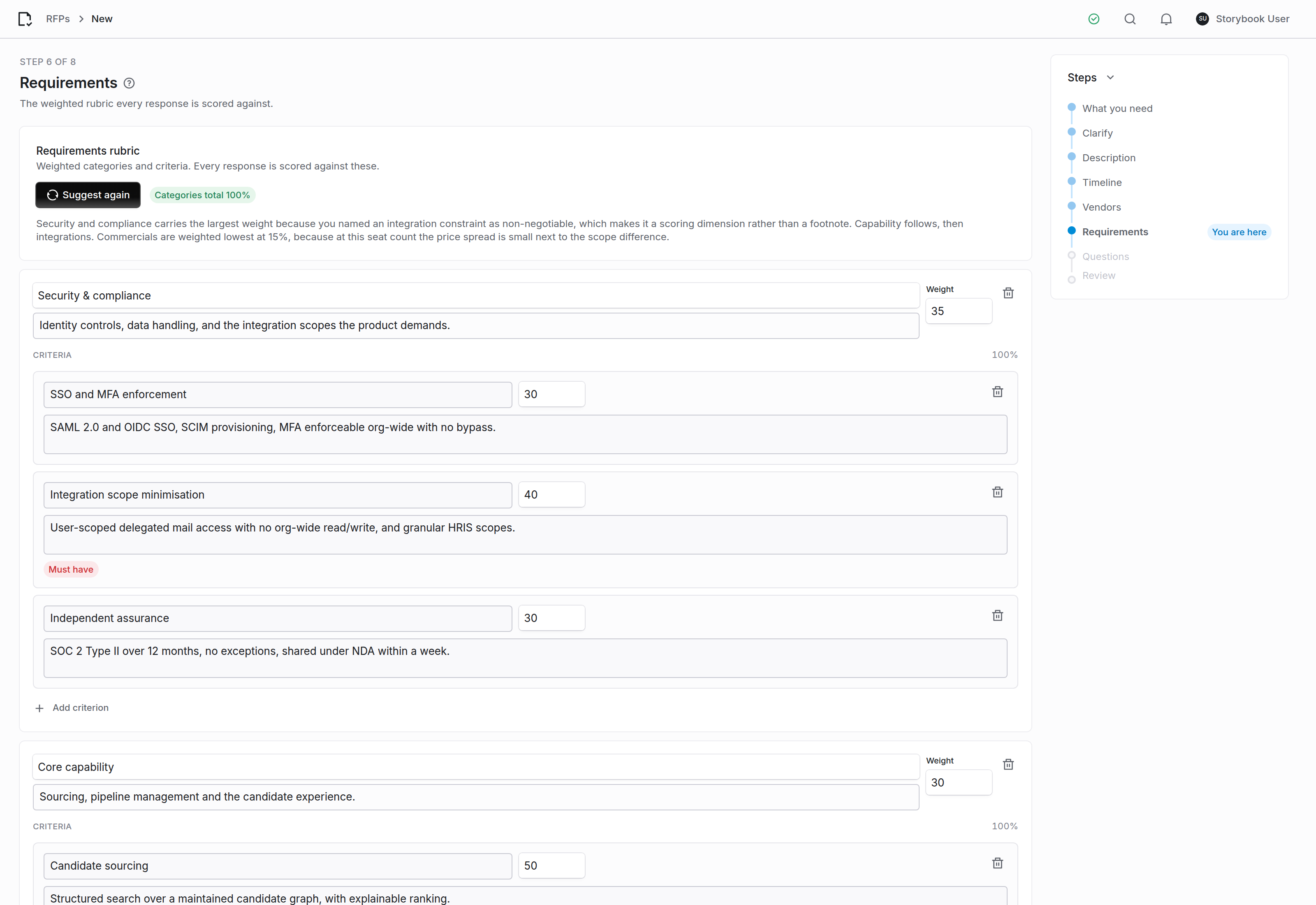
Weights within a category total 100, and the categories themselves total 100.
Step 7: Questions
The wizard writes the vendor-facing questionnaire, spread across the rubric in proportion to each category’s weight so every criterion has evidence behind it. Choose how many questions you want and click Generate questions.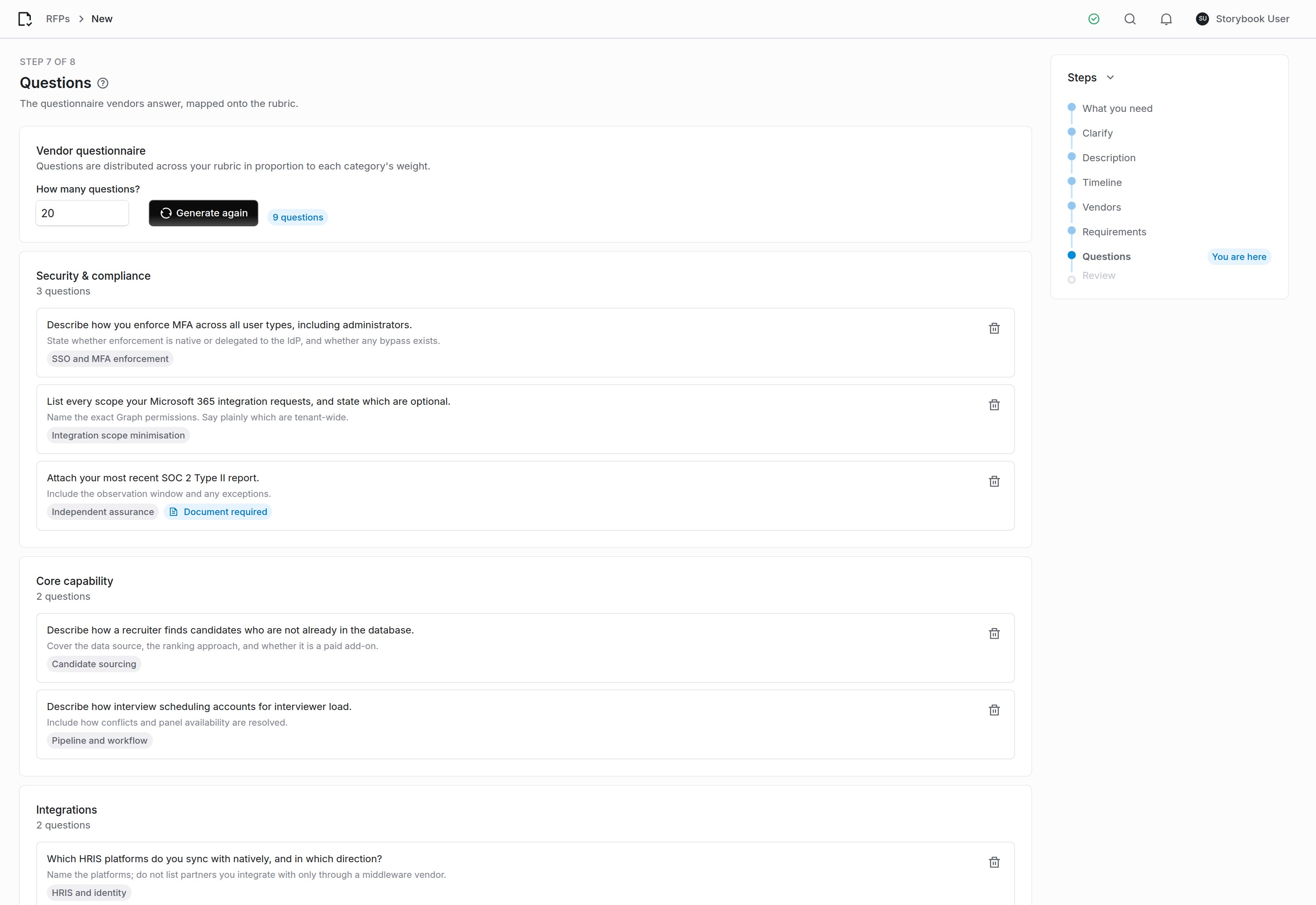
Each question names the criterion it is evidence for.
Step 8: Review
Everything the wizard is about to create, on one screen.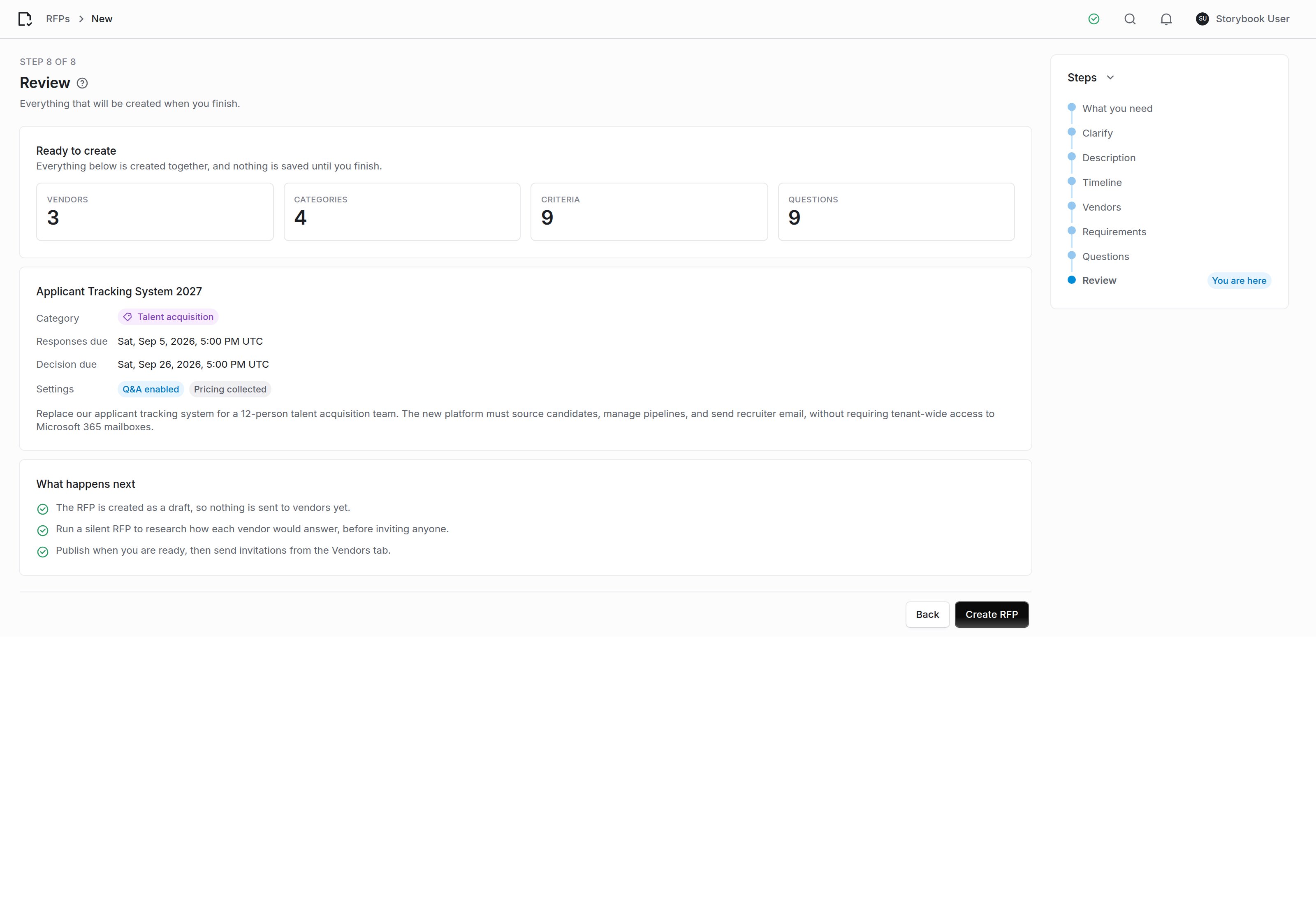
Nothing has been written to your organization until you confirm here.
Part 2: Find your way around
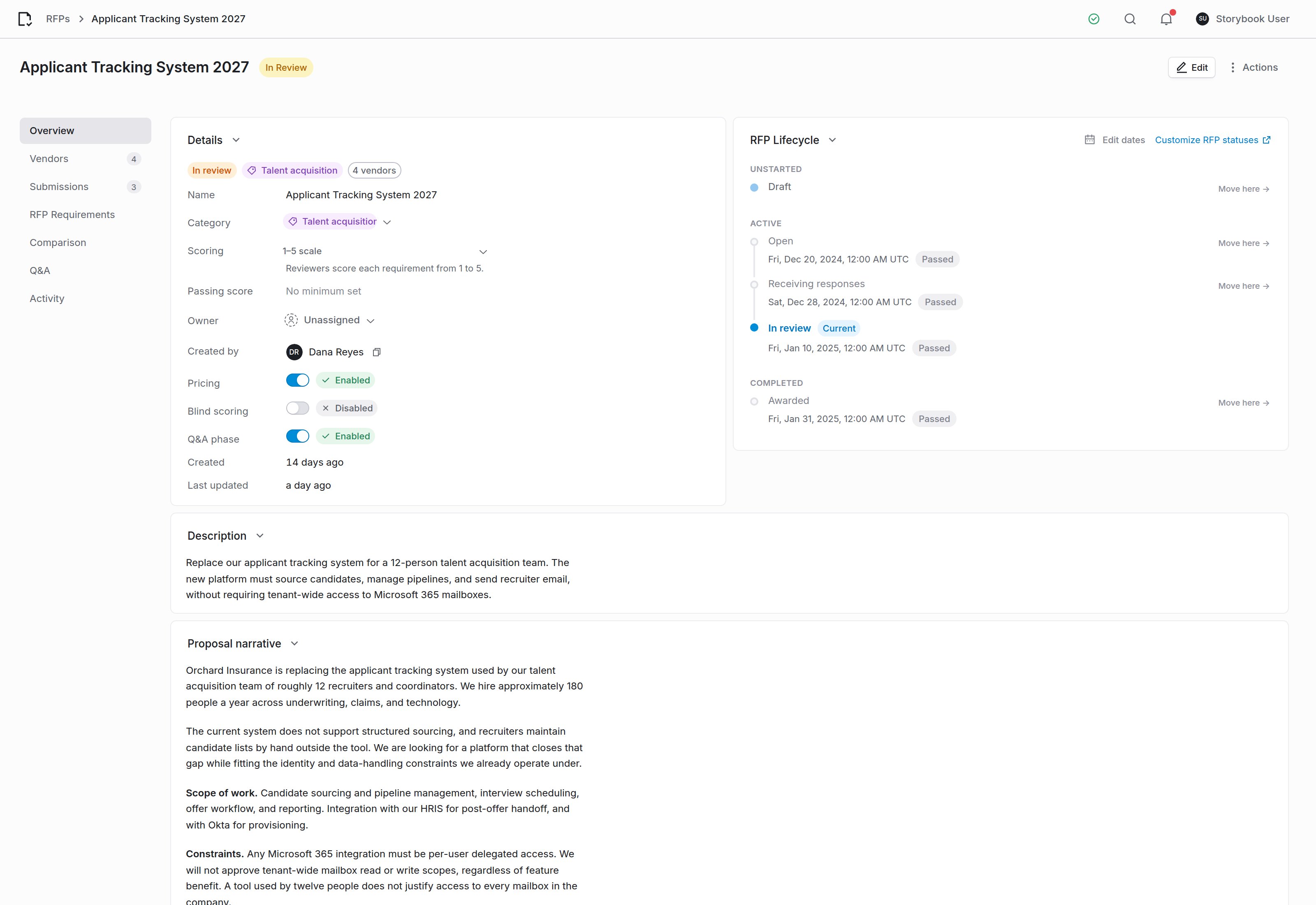
Seven sections, in the order you work through them.
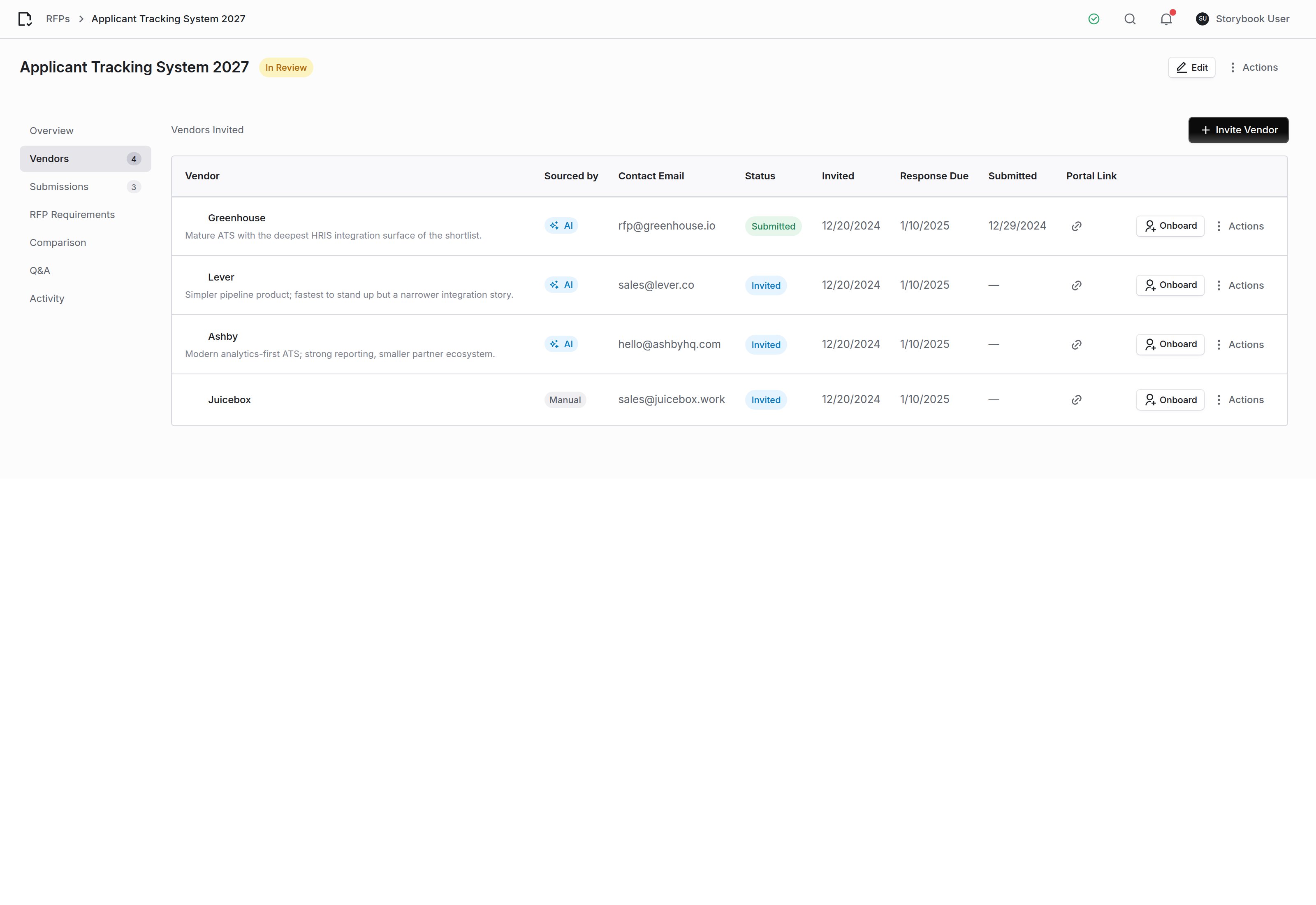
Vendors, how each was sourced, and where their portal link goes.
Part 3: Run it without outreach
A silent RFP researches how each invited vendor would most plausibly answer your questionnaire, so you can compare the field before asking anyone for real work. Click Run silent RFP in the Submissions section. It runs in the background (research, then scoring against your rubric, then the comparison), so you can leave the page and come back. At least one vendor must be invited first.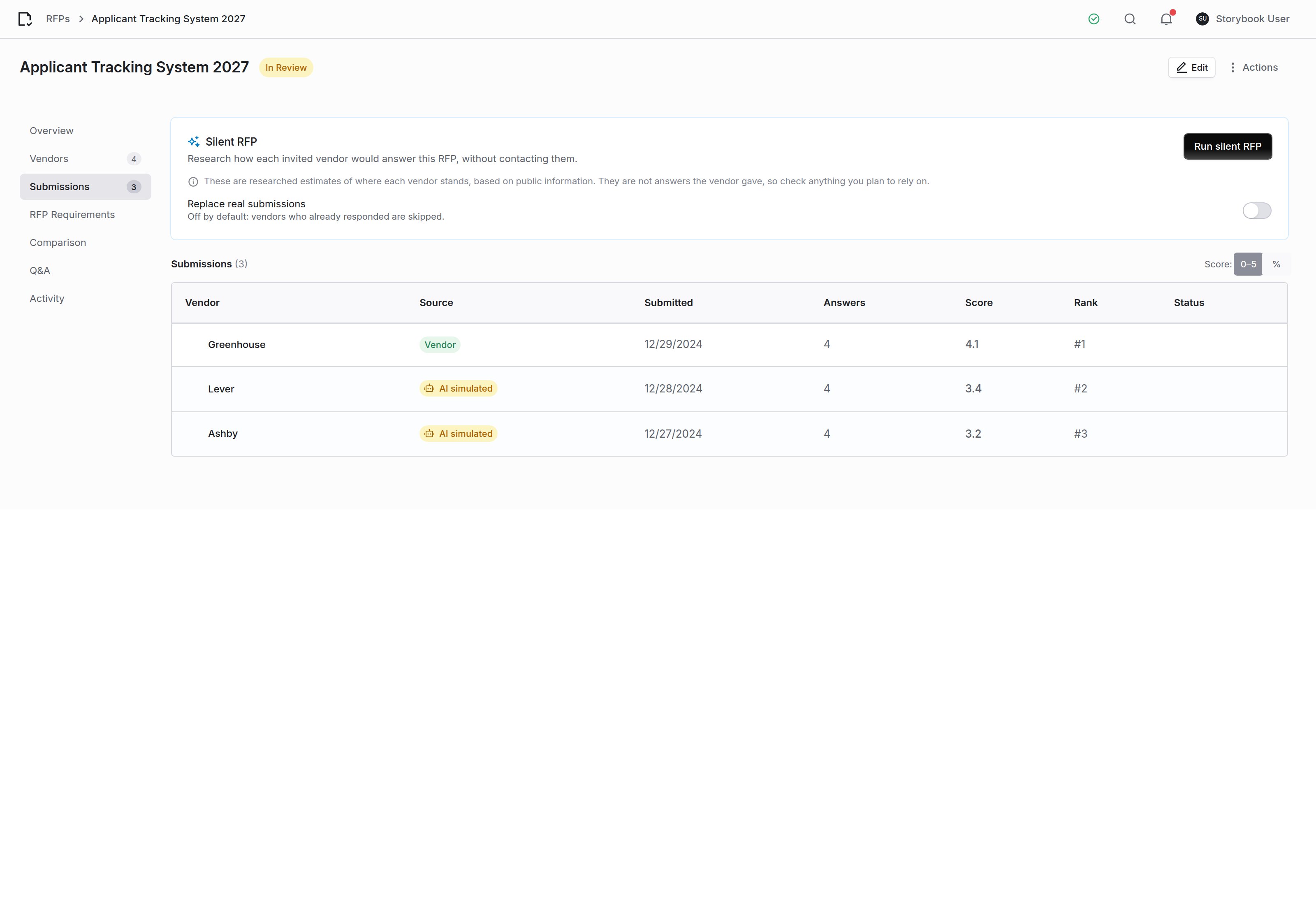
Run it from the Submissions section. Researched responses sit alongside real ones and are always labeled.
These are not vendor responses
These are not vendor responses
A real response always wins
A real response always wins
Confidence is about the vendor, not the prose
Confidence is about the vendor, not the prose
Part 4: Score the responses
To score one submission with AI, pick it beside Auto-score with AI under Rubric Scores in the Comparison section, or open the submission and click Re-evaluate with team input. Each criterion in the rubric gets a suggested score, the reasoning behind it, and the verbatim span of the response the score rests on. A silent RFP scores its researched responses for you. The suggestion sits next to the reviewer’s own score and never replaces it. Re-running the scorer leaves anything a person entered exactly as it was. Three rules apply to the suggestion:- A score must cite the response. A criterion the response never addresses scores 0 with no quote, rather than an inferred number.
- A must-have fails on ambiguity. Must-have criteria pass only when the response clearly clears the bar. Failures are listed above the scoring table.
- A renamed criterion is surfaced, not dropped. Scores returned for criteria that are no longer on the rubric are reported rather than silently discarded.
Scoring a demo, together
Each requirement is its own card, and everyone evaluating the submission writes on it. Your assessment sits at the top; below it are your colleagues’ notes, each under their name. This is built for the demo itself:- The score is optional. Pick No score and write only what you saw. An observation without a number reaches the team and the re-evaluation.
- The score and the note save separately. Type a note twenty minutes after entering a score and the score stays where it was.
- Turn on “Saw this first-hand” for anything you watched in the demo or heard on a reference call rather than read in the response.
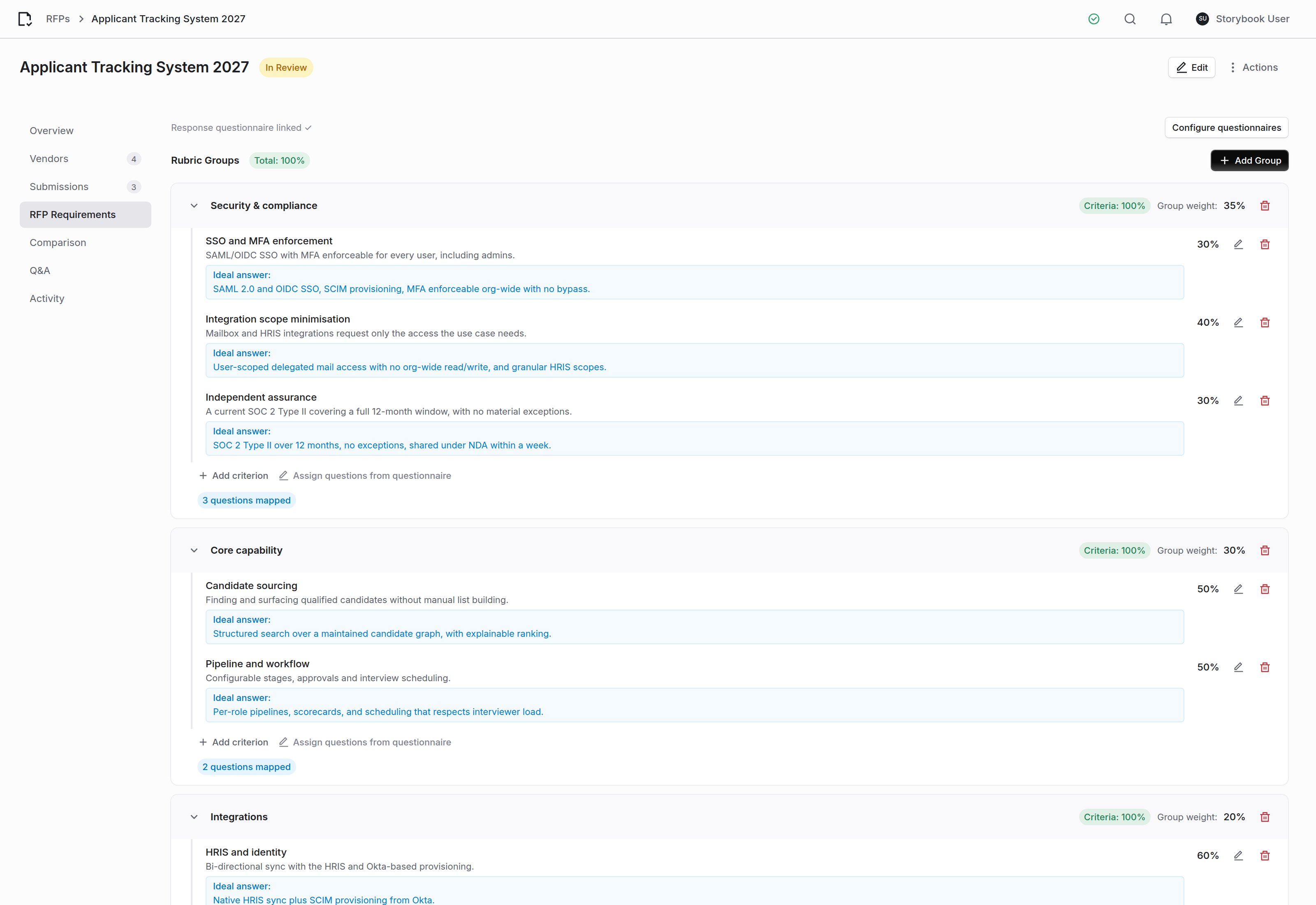
The rubric, with weights and ideal answers, is what every score is measured against.
Part 5: Compare and decide
Cross-vendor comparison
The comparison reads every submission together. What separates two bidders only shows in the contrast between them.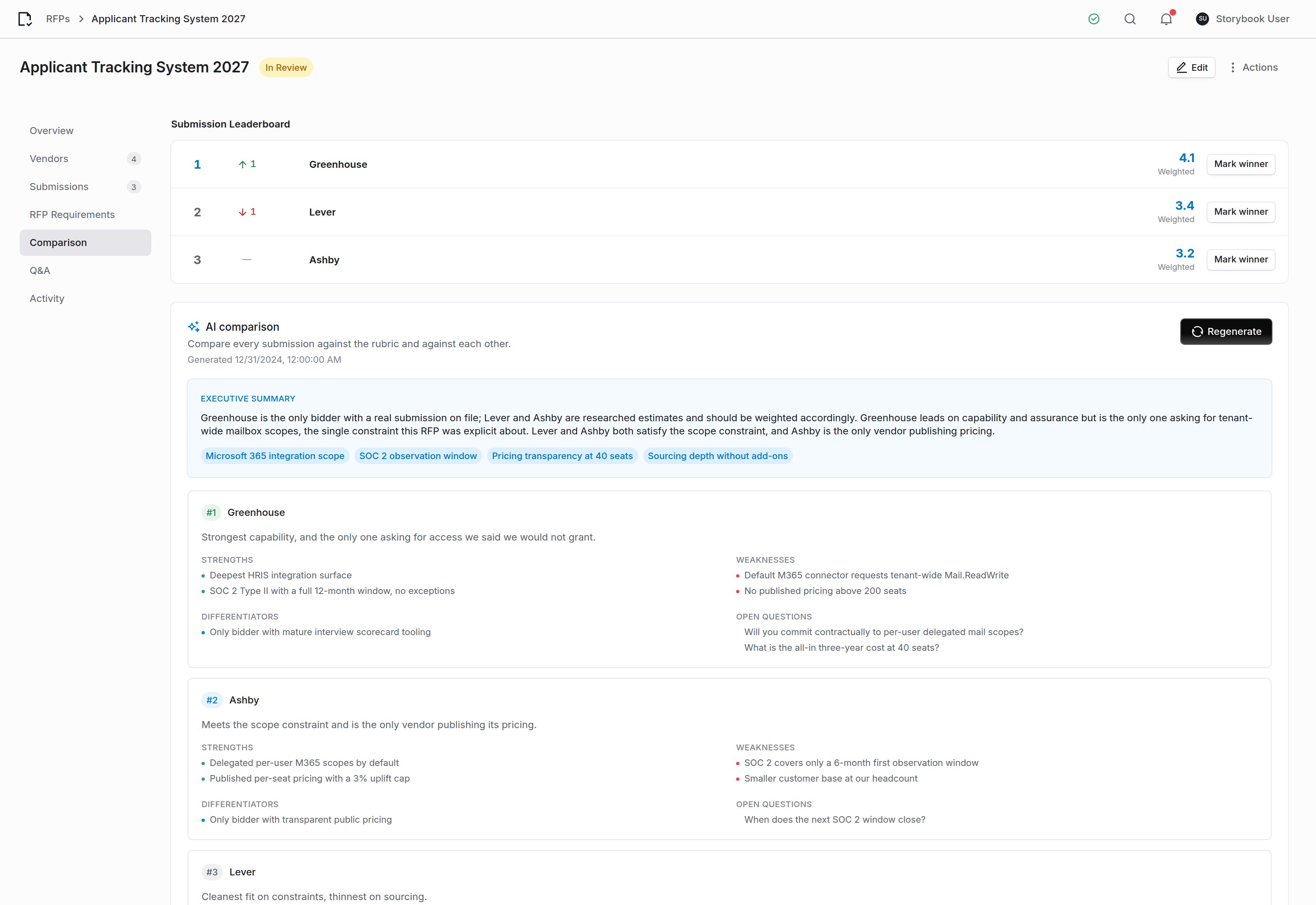
Stored with its timestamp rather than regenerated on view, so the version somebody circulated stays the version they see.
Pricing and total cost
Year-one cost and three-year total cost sit side by side, each with a badge for how firm the number is:Q&A
Vendor questions and the answers you publish back to all of them. Draft with AI writes an answer from what the RFP establishes, for you to edit before publishing. Publish to FAQ shares the answer with every bidder; Save (Private) keeps it internal. The section works only when the RFP’s Q&A phase is enabled.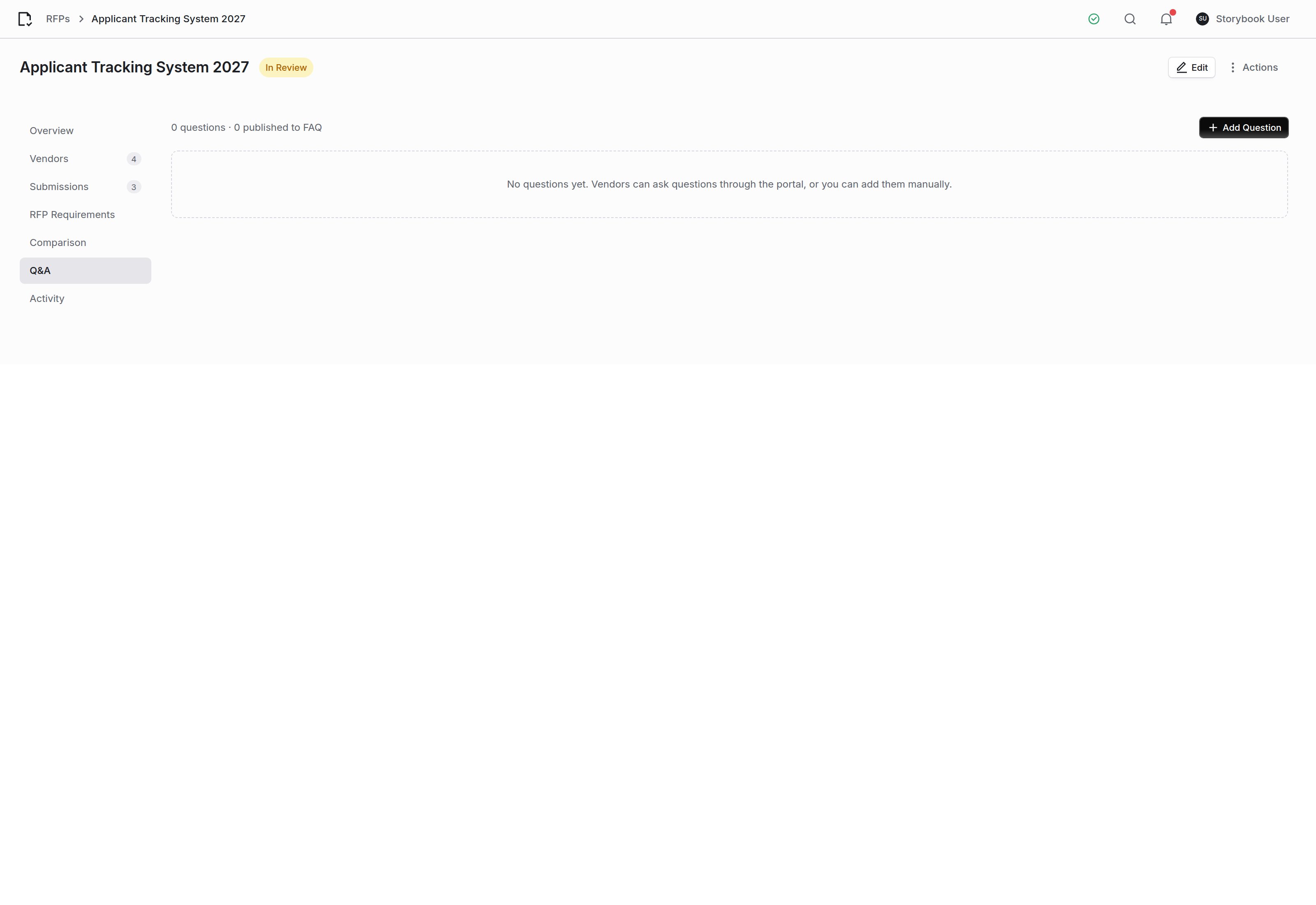
A draft never mentions other bidders, and says so plainly when the RFP does not settle the question.
Decision memo
After you award, Write the memo produces the record of why: the recommendation, the reasoning, each runner-up with the specific reason it lost, the risks you are knowingly accepting, and the conditions the winner must meet before signature. Where a researched response stood in for a real one, the memo says so. Somebody reading it in a year needs to know which part of the decision rested on research.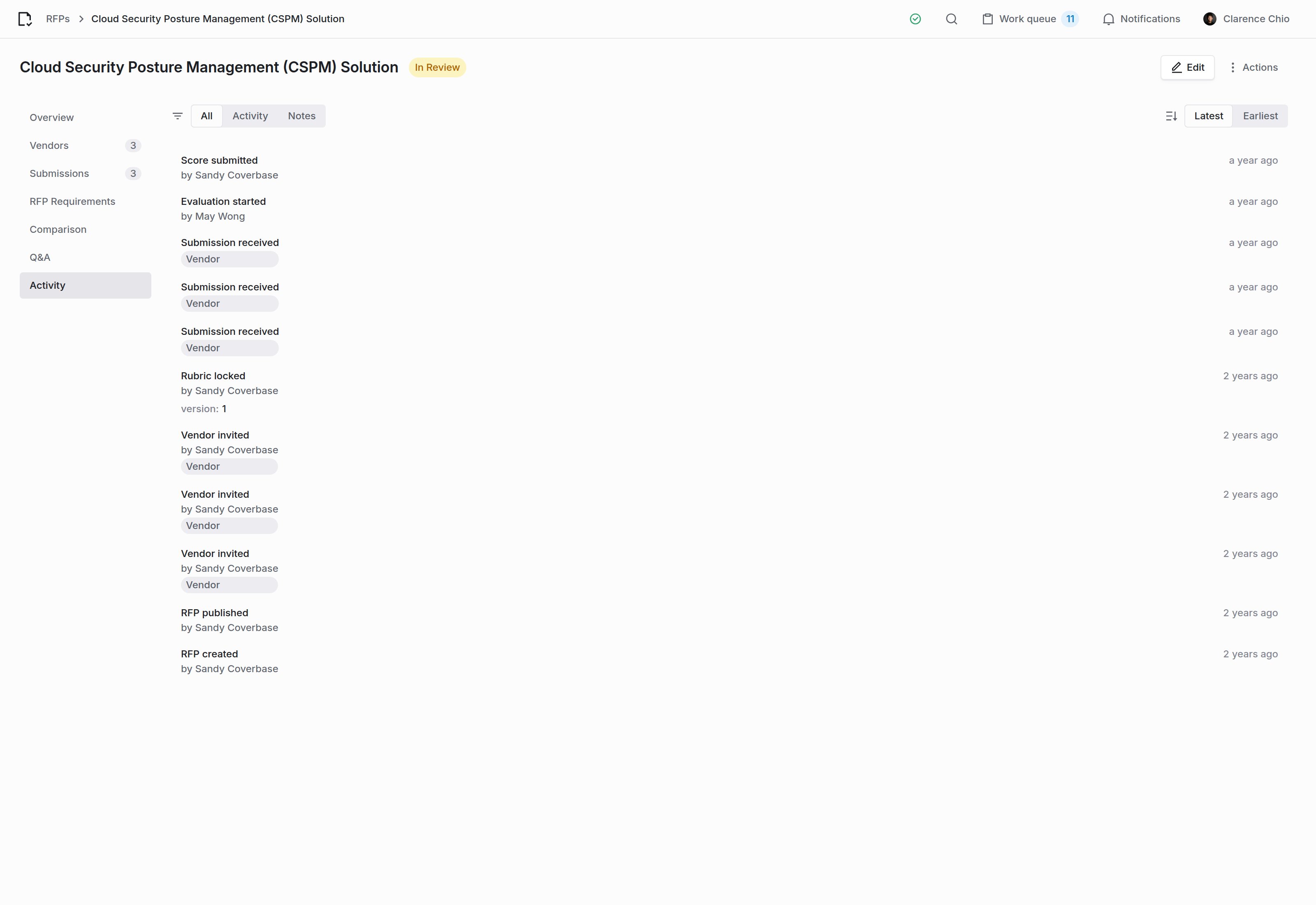
Every event on the RFP, including which AI steps ran and who ran them. The tabs narrow the feed to activity or to notes.
Part 6: Onboard the winner
From the Vendors section, Onboard opens the vendor form prefilled with everything the RFP already established: the research that shortlisted them, the invitation contact, the RFP’s description as the use case, and anything flagged during sourcing. Onboard vendor saves the record and takes you to the vendor’s page.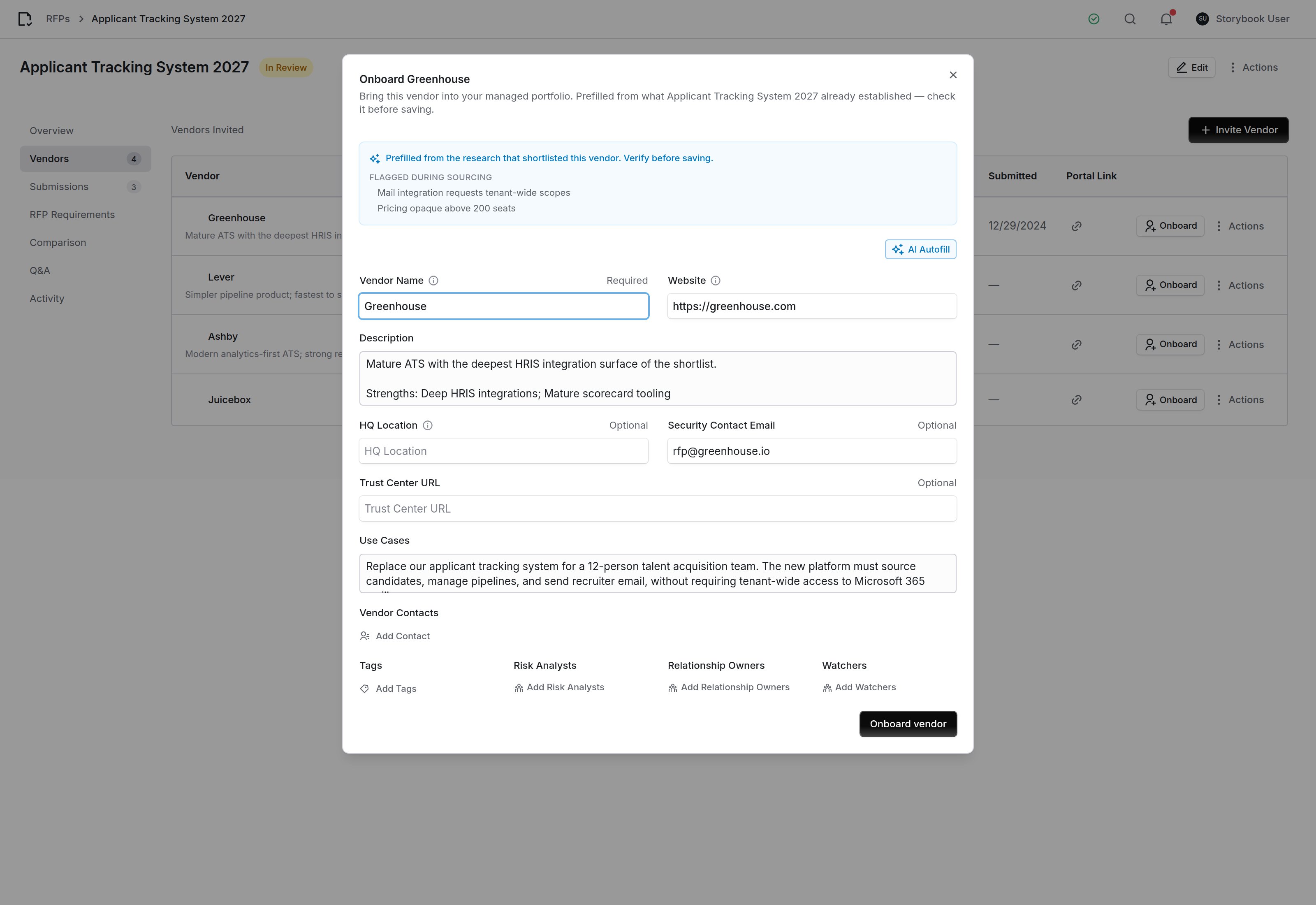
The vendor record already exists, created by the RFP when the vendor was invited, so this updates it rather than creating a duplicate.
Running an RFP from chat
Everything above is available through the MCP server, so an RFP can be drafted and compared in a conversation. Reads go throughquery_rfps; writes go through mutate(entity="rfp", ...) and ask you to confirm before anything is created. See the MCP tool reference.
An MCP client can also change an RFP and move it along with mutate(entity="rfp", action=...): update, set_status, pause, cancel, archive, rank_submissions, lock_rubric, update_invitation and create_submission. It reads categories with query_rfps(kind="categories") and one response with query_rfps(kind="submission").
With an API key, the RFPs API creates, invites, publishes and compares. The Platform configuration API changes an RFP, moves its status, and records and ranks responses. Awarding and archiving are decisions for a person, so a key cannot do either. None of these routes emails a vendor.
A typical exchange:
- “Draft an RFP to replace our applicant tracking system for 12 recruiters, integrated with our HRIS and Microsoft 365. No tenant-wide mailbox access.”
- “Research vendors for it, and suggest requirements.”
- “Create it.” You confirm, and the RFP, rubric, questionnaire and invitations are created together.
- “Run it silently and compare them.” Researched responses, then the cross-vendor comparison.
Common questions
Can I edit an RFP after publishing it?
Can I edit an RFP after publishing it?
What happens if I re-run vendor research?
What happens if I re-run vendor research?
Do I have to use the AI at all?
Do I have to use the AI at all?
Who can see a researched response?
Who can see a researched response?
How do I let someone score a demo without giving them the whole RFP?
How do I let someone score a demo without giving them the whole RFP?
Can two people score the same requirement?
Can two people score the same requirement?