

For AI agents: a documentation index is available at https://docs.coverbase.com/llms.txt. This page is also available in markdown by appending .md to the URL.
This guide is part of the User Guides collection. For what the capability is and where it stops, see People intelligence.
Finding it
Open a vendor, go to Vendor Intelligence, and pick the People tab.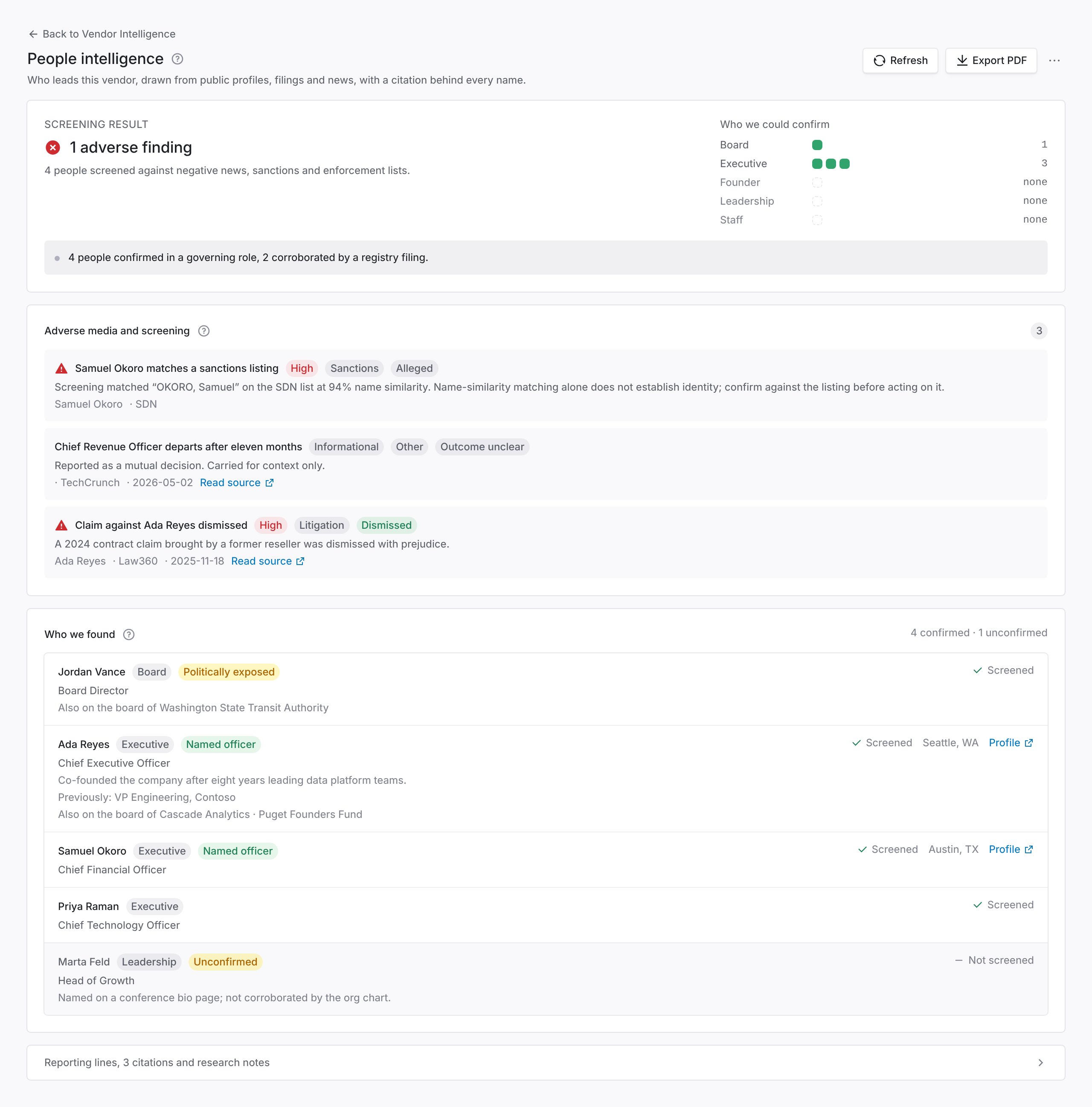
1 Screening result and who could be confirmed. 2 Adverse media, with severity and outcome. 3 Who we found: confirmed people first, unconfirmed names last. 4 Reporting lines and citations, in the drawer at the foot.
Confirmed and unconfirmed
Read this distinction before you read anything else on the page. Searching a person’s name returns other people with that name, and a better-known one will dominate the results. So every name lands in one of two groups, and only one of them counts. Confirmed people were tied to this vendor by a source that resolved through the vendor’s own domain, or by a matched professional profile. They are the only names counted under Who we could confirm, drawn in the reporting tree, or fed into a score. Unconfirmed names were surfaced in research but could not be tied to this vendor with confidence. They appear at the end of Who we found, marked Unconfirmed, and in no coverage count or score.Reading a finding
Every adverse-media finding carries three labels, and they answer different questions.
Severity and outcome together are what you act on. A high-severity litigation finding marked Dismissed is a claim the subject won, and it deducts nothing from the Zero Touch score. A high-severity finding marked Concluded is a different matter.
Findings the subject publicly contests are labeled disputed, so you are never handed one side of a contested matter as settled.
A sanctions match is always shown at high severity, and always with the caveat that name similarity is not identity. Open the listing and confirm before you act on one.
Who was screened
Screening is bounded. Founders and executives are screened first, then the board, then other leadership. Each person’s row in Who we found says Screened or Not screened. The screening result at the top says how many people were screened. On a large leadership team, names at the end of the list may not have been screened, so check where the line fell.No findings and not screened
When screening could not run at all, the page says so and shows no count.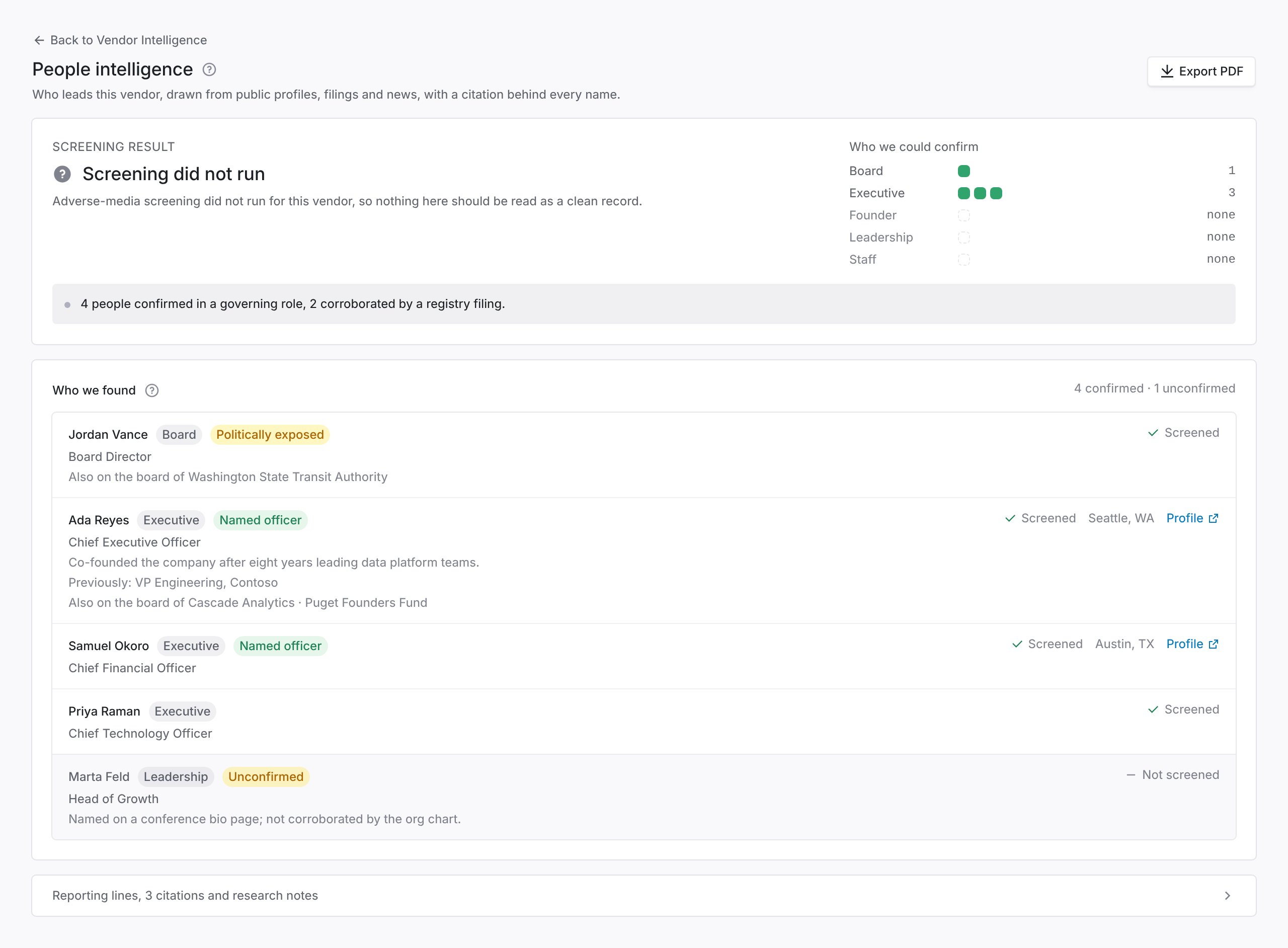
Screening did not run. The page says so rather than showing a zero.
Other labels worth knowing
Named officer means the person appears as an officer or director in a public filing. That is a stronger claim than a name taken from a leadership page. Politically exposed means the person holds or held prominent public office, or is close to someone who does. It calls for enhanced diligence. It is not a finding against them. Also on the board of lists other organizations where the person holds a seat. The same names recurring across a vendor’s board and its counterparties is worth a question. The page shows the seats; it does not judge them.Read the dossier from MCP or the API
You can read the leadership dossier from an MCP client withquery_vendors(kind="leadership"). It separates confirmed names from unconfirmed candidates, as the page does. See the MCP tool reference.
The API has no dossier route. With an API key, GET /v1/vendors/{vendor_id}/fact-sheet returns the fact sheet, which carries a leadership section. See The vendor fact sheet.
Troubleshooting
Related
Corporate registrations guide
The legal entity behind the people.
Zero Touch Assessments
Leadership and adverse media as a scored component.