

For AI agents: a documentation index is available at https://docs.coverbase.com/llms.txt. This page is also available in markdown by appending .md to the URL.
This guide is part of the User Guides collection. For what the capability is and where it stops, see Corporate registrations.
Finding it
Open a vendor, go to Vendor Intelligence, and pick the Registrations tab.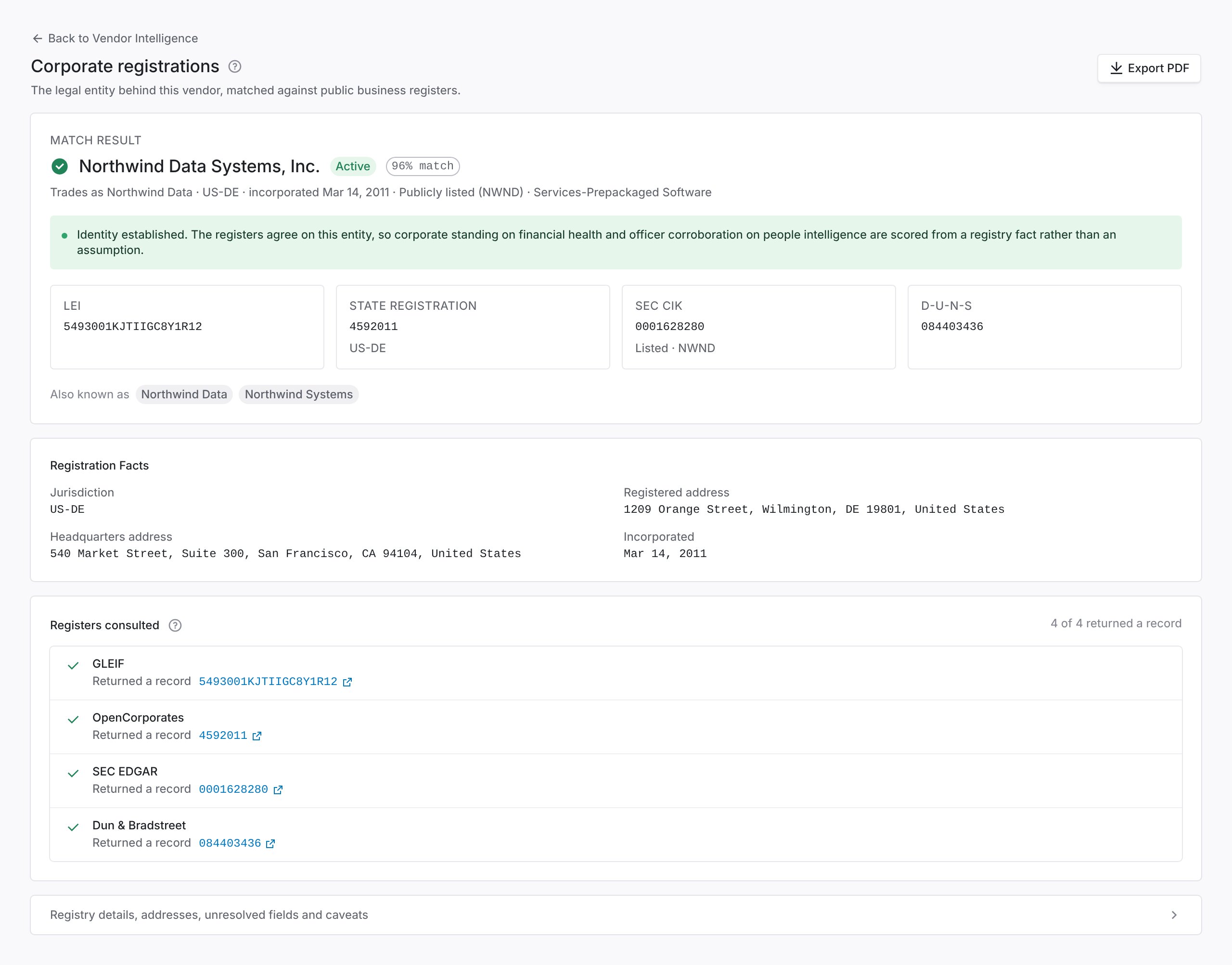
A vendor bound to a register: the legal entity, a tile per identifier, the three steps that identified it, and its group.
What the entity rests on
The label above the entity’s name says what the identity rests on. Read it before you use any identifier below it.How Coverbase finds the entity
Coverbase looks for the entity the way you would if you searched for it yourself.1
Read the vendor's own legal pages
The terms, privacy policy, imprint and site footer name the company a customer contracts with, often with its registration number, its former names and its subsidiaries. Coverbase reads them and keeps the passage each entity came from. A company named only in passing, such as a payment provider or a hosting company, is ignored.
2
Look the entity up by its number
When the vendor states a registration number, Coverbase looks it up directly in GLEIF and Companies House. The record is bound only when its name agrees with the one the vendor states.
3
Search the registers by name
Coverbase searches GLEIF, Companies House, OpenCorporates and SEC EDGAR for the stated legal name, the vendor’s name and its former names. A record that carries the exact legal name the vendor states wins over one that only shares its brand. A record in another country than the vendor’s is offered for review, not bound.SEC EDGAR is searched first through its list of listed companies and then, when that holds nothing, through EDGAR’s own filer search, which still knows a company that has delisted or that files without a listed security. A filer whose name is the bound entity’s plus “Holdings” or “Group” is shown as the vendor’s listed parent when GLEIF records none.
4
Fall back to the vendor's word
When no register holds the entity, the page shows the entity the vendor names, marked Identified from the vendor’s own pages, with the quotes. It stays unvalidated until you confirm it.
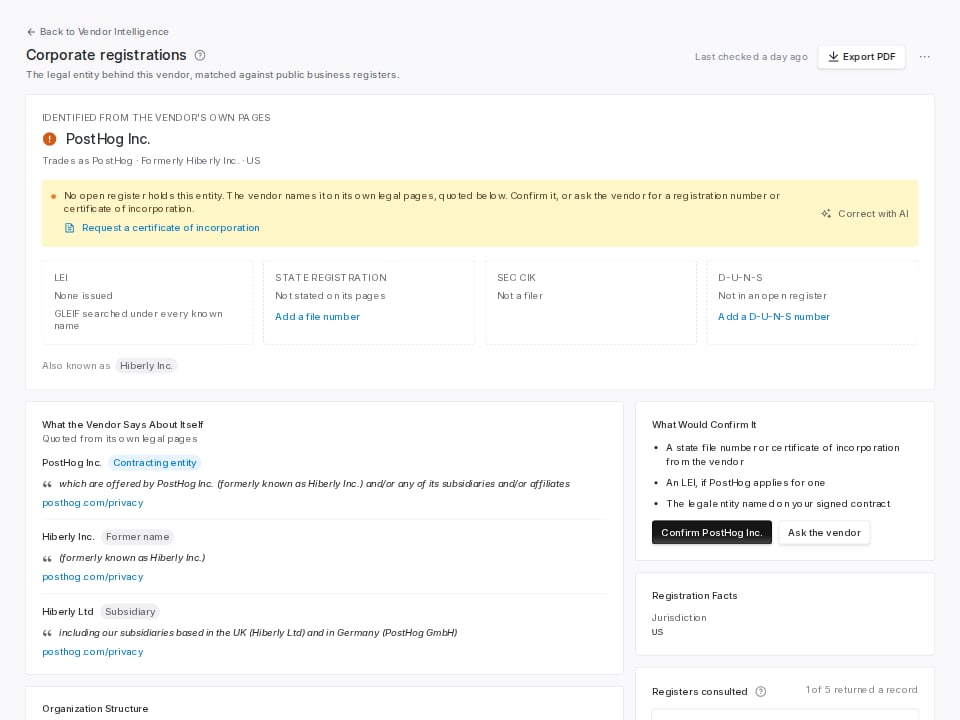
No open register holds the vendor. The page quotes its legal pages and separates the subsidiary a register holds from the one only the vendor names.
Identifiers
Under the verdict, each identifier has a tile: the LEI, the company number with the register that issued it, the SEC CIK, and the D-U-N-S number. A dashed tile is one no register returned.- Add a D-U-N-S number saves the number Dun & Bradstreet assigns to the vendor.
- Add a file number, Add HRB number or Add company number appears when the entity rests on the vendor’s word. Coverbase looks the number up wherever the home register is open.
Confirm an entity the vendor names
When the entity is Identified from the vendor’s own pages, What would confirm it lists the evidence that would settle it.- Confirm saves the entity as your team’s, for example once you have checked it against your signed contract.
- Ask the vendor drafts a message asking which entity contracts with you and for its registration number. Request a certificate of incorporation drafts a request for the certificate. Edit the message, copy it, and send it from your own mail.
Organization structure
Organization structure shows the vendor’s parents above it and its subsidiaries below it. Each entity shows its country, its identifiers, and where it is known from:- GLEIF or Companies House: a register holds the entity and reports the relationship.
- Named by the vendor: only the vendor’s own pages mention the entity. Treat the link as the vendor’s statement. Click Add HRB number (or the number its country uses) to add its registration number.
Choose among possible matches
When several registered companies share your vendor’s name, Possible matches lists them, ranked by what agrees besides the name: the state or country, the city, and the industry. Click Use this entity on the right one. The page binds it at once, and every later refresh keeps your choice. If none of them is your vendor, click Correct with AI to name the right entity, or Mark as no registered entity when the vendor has none, such as a sole trader or an open-source project.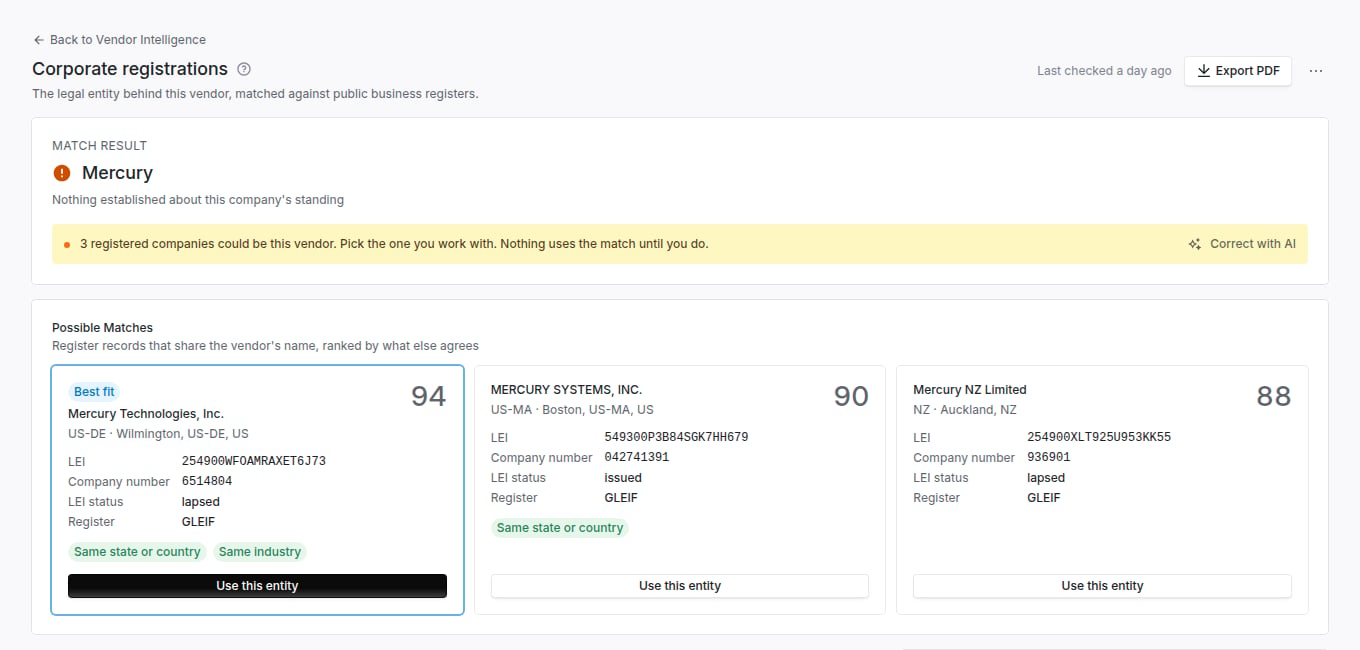
Three registered companies share the Mercury brand. The best fit agrees on country and industry.
Correct with AI
Use Correct with AI when the entity is wrong or missing. You describe the right entity in your own words, and you see the match before anything changes.- Click Correct with AI in the verdict.
- Describe the entity. For example: “Our contract is with PostHog’s UK company, Hiberly Ltd.” You can also paste a registration number, an LEI, or the signature block from your contract.
- Click Find the entity. Coverbase reads your note, searches the registers, and shows what it found and the proposed change.
- Click Apply to save it, or Not right, try again to edit your note.
- The panel confirms the change. Click Back to registrations, or Undo to put the previous entity back.
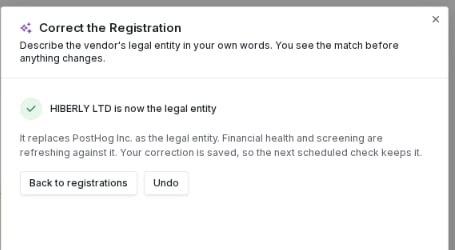
Applied: the panel says what changed and offers Undo.
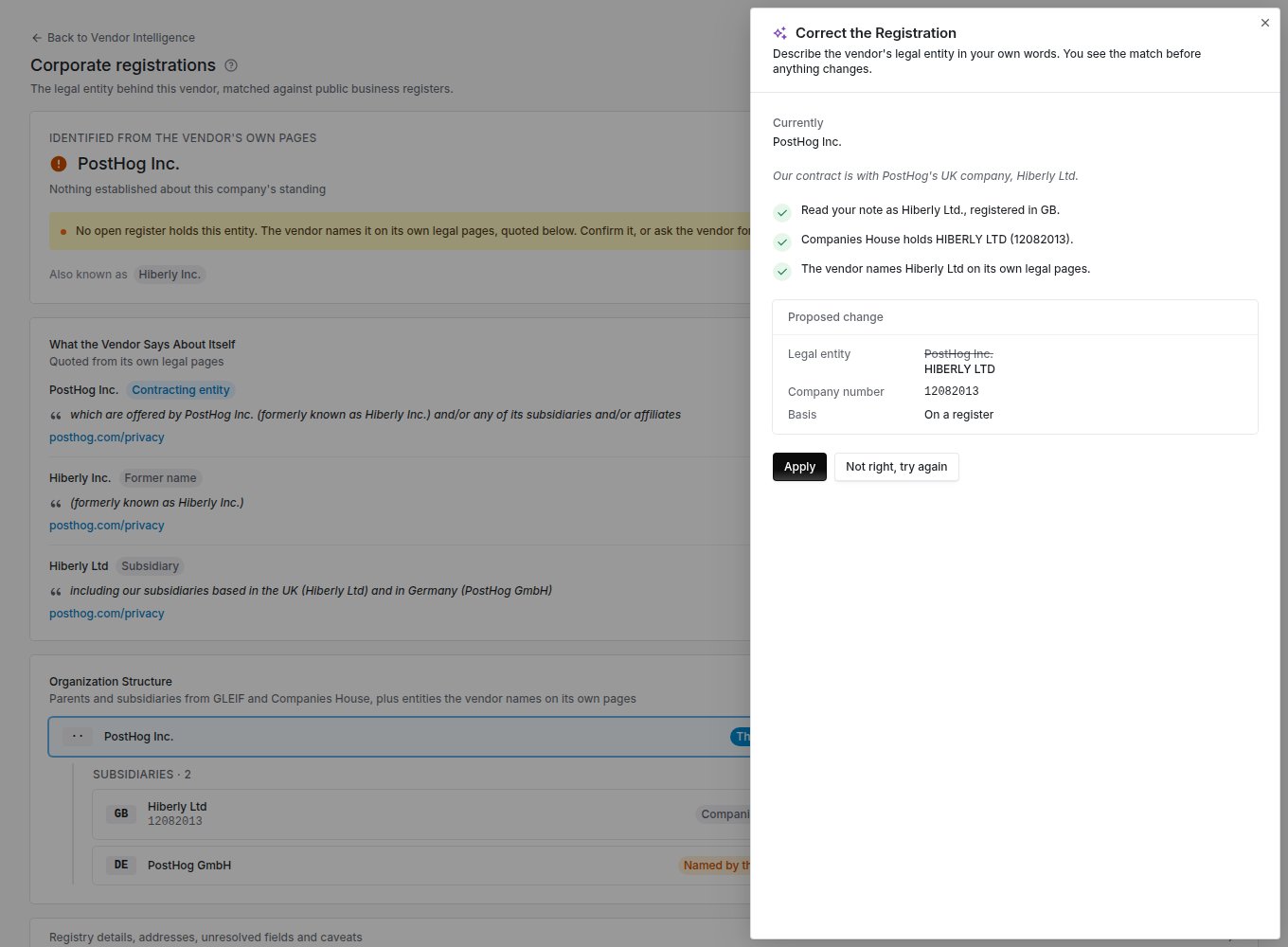
The note read as Hiberly Ltd in the UK, found on Companies House, and named on the vendor's own pages.
Undo a change
Every change you make on the page, a picked match, a confirmed entity, an added number, or a correction, shows a banner at the top with Undo. Undo restores what your team had confirmed before, or returns the vendor to what the evidence alone shows.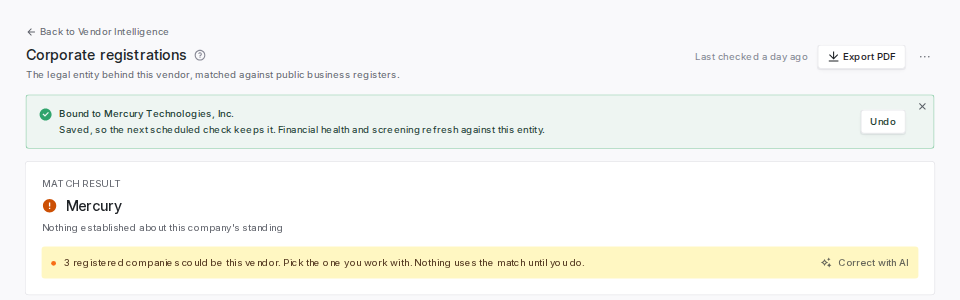
A candidate picked. The banner keeps Undo until your next change.
Registered address
The address on the register is the vendor’s legal address, not where its people work. A registered agent’s or accountant’s address is normal and is not a red flag by itself.What to do with a dissolved status
A dissolved status on a vendor you are paying needs attention. It usually means a restructure moved the business to another entity, or the company on your contract no longer exists. Ask procurement which legal entity is on the current contract, and compare it to the registered name on this page.Correct the entity from MCP or the API
You can read and correct a vendor’s legal entity from an MCP client or with an API key, as well as on the vendor page. An MCP client reads withquery_vendors(kind="company_registration") and previews a correction with query_vendors(kind="company_registration_proposal"). It writes with mutate(entity="company_registration", action=...) (confirm, undo, rematch).
The API routes are POST /v1/vendors/{vendor_id}/company-registration/proposal, .../confirm, .../undo and .../rematch. See Company registration. Parent links the registers suggest are read with query_vendors(kind="parent_proposals") or GET /v1/vendor-parent-proposals.
Before an MCP client sends a write, it shows you the change and waits for you to confirm it. The MCP tool reference lists every field.
An API key cannot decide a parent proposal. A signed-in user does that.
Registers consulted
The Registers consulted list says what asking each register came to:Troubleshooting
Related
Global financial coverage
How the bound entity decides which filings Coverbase reads.
Zero Touch Assessments
Registration standing as a scored component.