

For AI agents: a documentation index is available at https://docs.coverbase.com/llms.txt. This page is also available in markdown by appending .md to the URL.
This guide is part of the User Guides collection. It covers Required by Risk Domain on a reference clause in Clause Sets, the clause pack on an engagement’s Contract tab, and the Non-standard Contracts report. It sits beside Contract Guardian and Monitoring plans. For what the feature is, see Clause packs and non-standard contracts.
Step 1: Map clauses to risk domains
Open Configuration → Clause Sets, open a clause set, and open a reference clause. Under Required by Risk Domain, click Add rule:- Choose the Risk Domain and the Minimum Level (or Any level) at which an engagement requires the clause.
- Turn on Also require it when this domain has an open issue if an open issue should require it too.
- Under Monitor After Signing, choose what to monitor once the contract is signed: an evidence request, a scorecard, or watching for vendor notices through Radar and issues. Describe the Obligation (for example “provide an annual SOC 2 Type II report”) and pick a Cadence. Choose Nothing to monitor if the clause carries no ongoing obligation.
- Click Save rule.
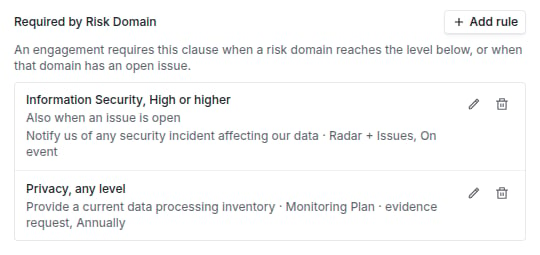
Required by Risk Domain on a reference clause, with two rules.
Step 2: Build an engagement’s pack
Open the engagement and choose the Contract tab. Under Clause Pack from the Risk Results, click Build clause pack. The table lists each Required Clause, why it is Required Because, and whether it is In the Current Draft: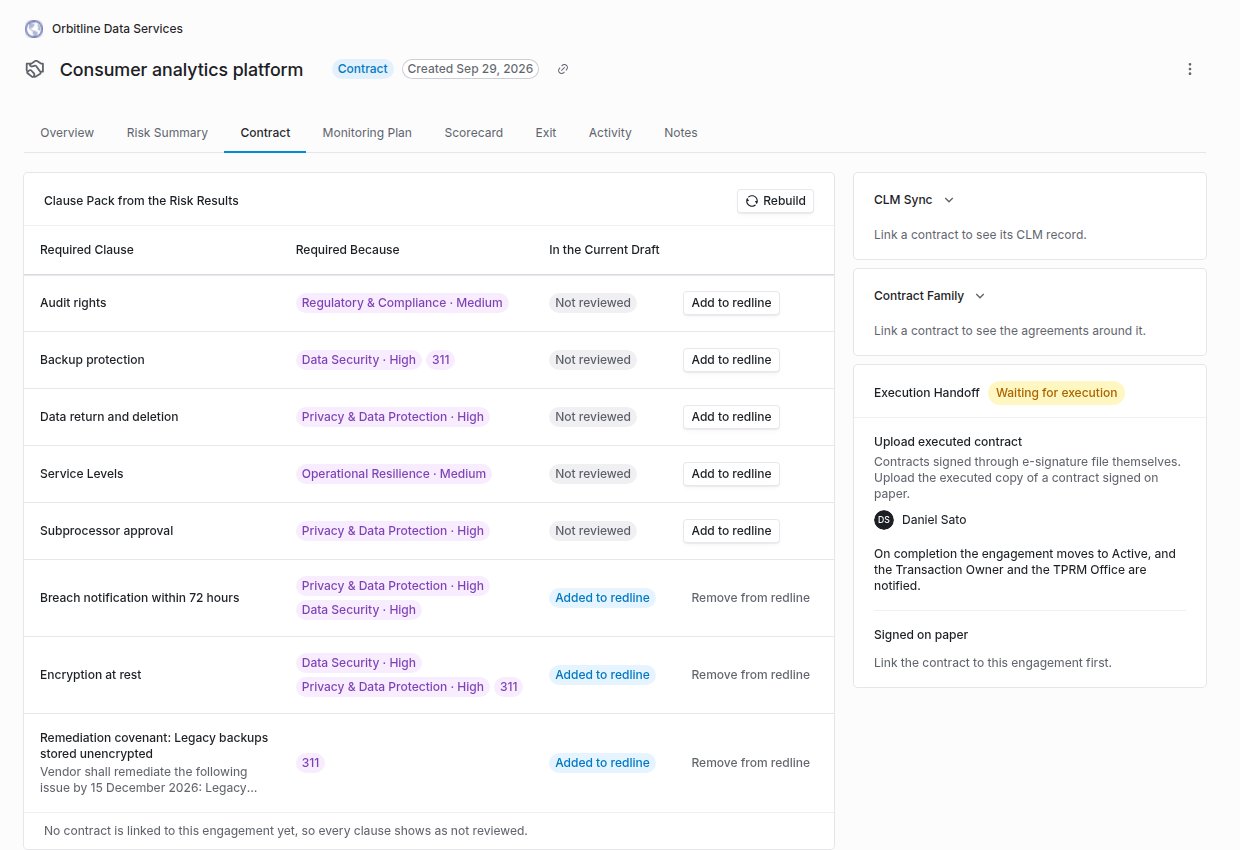
The clause pack on an engagement's Contract tab, with some clauses added to the redline.
Step 3: Follow the obligations
Obligations to Monitor After Signature lists each obligation, where it Goes To (Monitoring Plan · evidence request, Monitoring Plan · scorecard, or Radar + Issues), its Cadence and its Status: Starts when the contract is signed, Needs the clause in the signed contract, Monitored, next due a date, or Watched for vendor notices.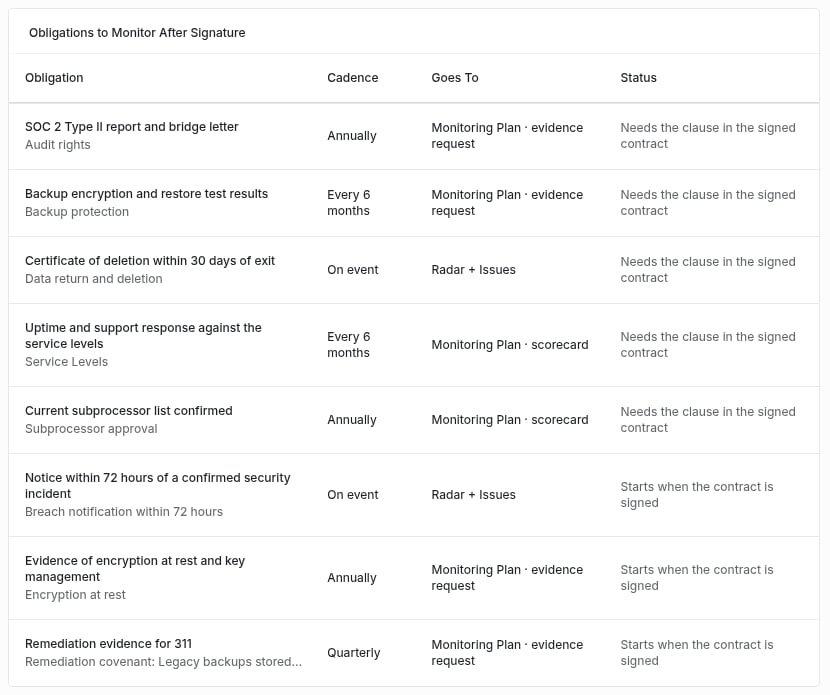
Obligations to Monitor After Signature, with where each goes, its cadence and status.
Step 4: Use the Non-standard Contracts report
From Contracts, open Non-standard Contracts, or click See all non-standard contracts on a pack. The report lists every clause whose latest review found it non-standard, with the Contract, Vendor, Clause, Severity, Status (Non-conforming, Missing, Needs review, or Accepted risk when you filter for it), the Risk Domains it is mapped to, and when it was Reviewed. Search, filter by severity, status and risk domain, sort, and Export CSV.Troubleshooting
Related
Contract Guardian guide
Clause sets and clause reviews.
Monitoring plans
Where obligations are monitored.
Offboarding and continuity
The contract handoff that executes the pack.
The engagement record
The Risk Summary the pack follows.