

For AI agents: a documentation index is available at https://docs.coverbase.com/llms.txt. This page is also available in markdown by appending .md to the URL.
This guide is part of the User Guides collection. It covers the Coverbase Agent Governor package for Salesforce Agentforce. For all three platforms at a glance, see Governor platforms.
The package is in early access and is not yet on AppExchange. Your Coverbase representative gives you the Salesforce DX project to deploy with the Salesforce CLI.
The package also carries a topic, Governed Company Data, that holds the three actions and instructions for each verdict.
Set up the agent in Coverbase
- In Inspect › Governor › Agents, select Register agent and name it after the Salesforce org or agent, for example
agentforce-service. - Copy the key from the Connect an agent panel. Under Platform › Agentforce, the panel shows the deploy command, the named credential URL for your Coverbase environment and where the key goes.
- In Policies, give the agent a baseline on the targets it should reach.
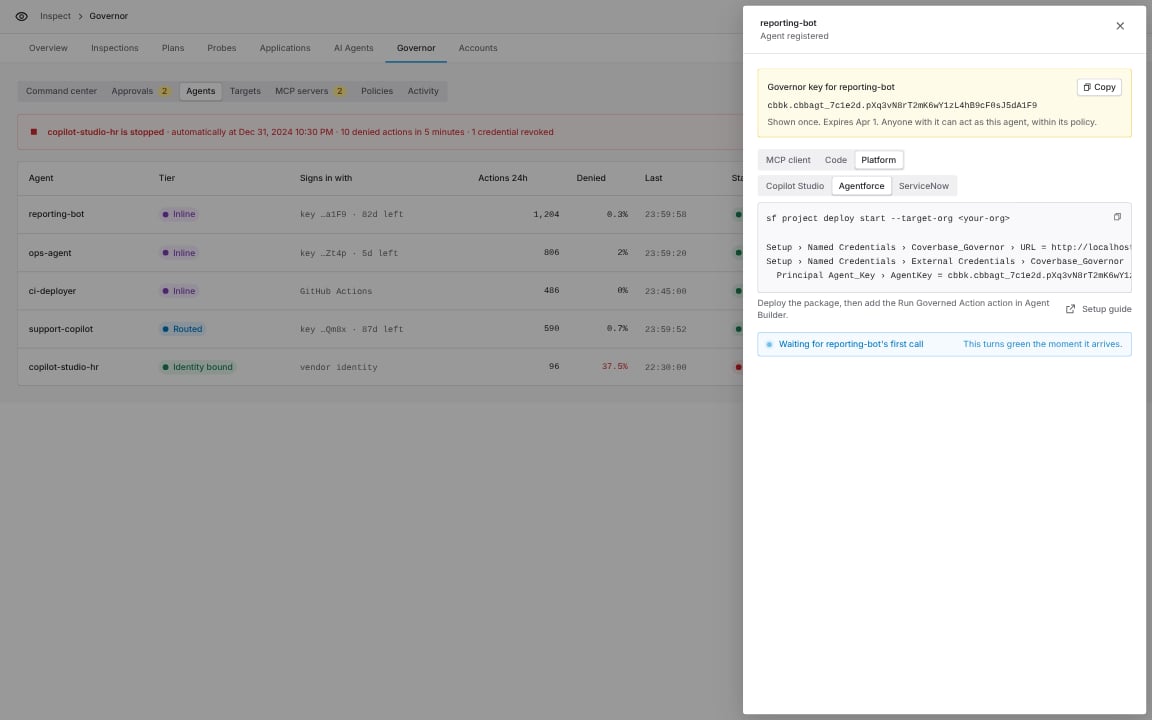
Connect an agent, Platform group, Agentforce.
Deploy the package
Coverbase_Governor points at https://api.coverbase.app. To use another Coverbase environment, change its URL in Setup › Named Credentials to the value the Connect panel shows.
Set the key
Deployment never carries the key. Add it after you deploy:- In Salesforce Setup › Named Credentials › External Credentials, open Coverbase Agent Governor.
- Open the
Agent_Keyprincipal and add an authentication parameter namedAgentKey. Its value is the key,cbbk.<agent_id>.<secret>, withoutBearer. The credential adds the header itself. - Assign the Coverbase Agent Governor User permission set to the agent’s running user and to anyone who runs the actions in an employee agent.
Add the topic to your agent
- In Agent Builder, open your agent and select Topics › Add from Asset Library.
- Add Governed Company Data.
- Activate the agent.
Run Governed Action inputs and outputs
Held actions
An Apex action cannot wait, so a held action is handled in the conversation. The agent tells the user, and runs the same action with the approval ID once Check Governed Approval returnsapproved. Approve once runs only the exact statement it was given for; a different statement is held again with a new approval ID.
For unattended work, a scheduled or record-triggered flow can call Check Governed Approval and resume when it reads approved.
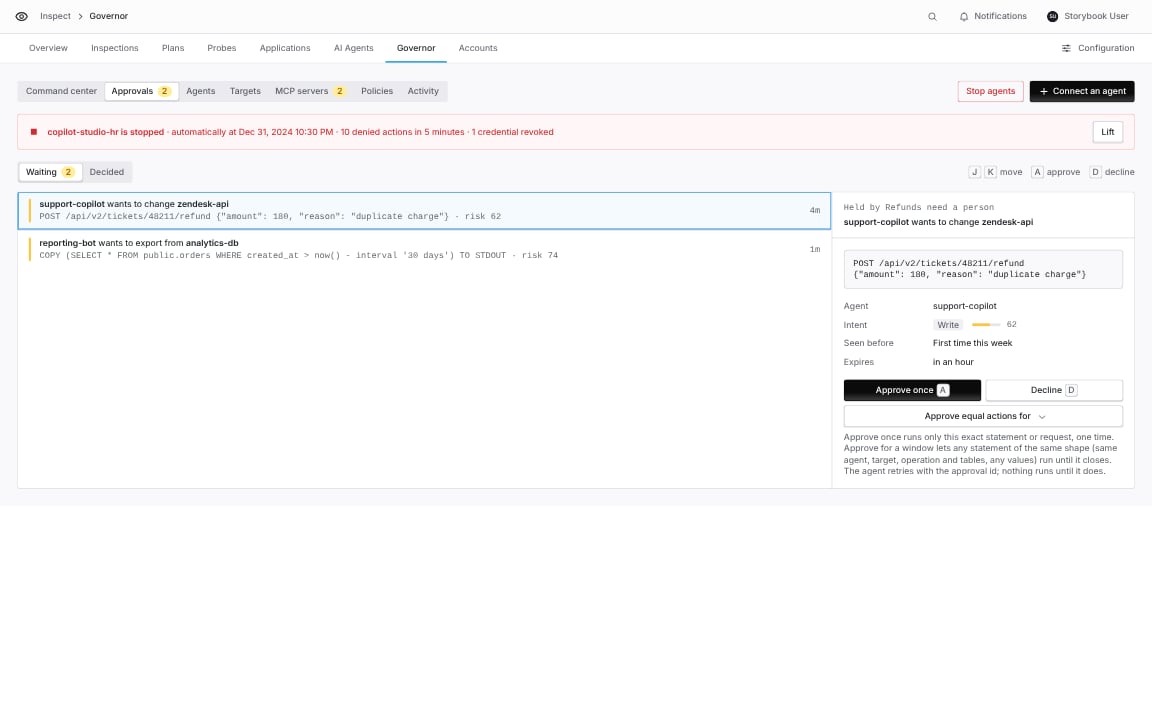
Inspect › Governor › Approvals: the approver sees the exact statement the Agentforce agent asked to run.
Act for many people
- One agent, a delegation per person. Pass the person’s delegation in Delegation ID, for example from a field on the User record. The governor records the person beside the agent and limits the agent to that person’s delegated targets.
- A key per person. Assign the Coverbase Governor Per User permission set instead. Each person opens Settings › External Credentials › Coverbase Agent Governor and stores their own key in an
AgentKeyparameter on thePer_Userprincipal. A person without a stored key gets an authentication error instead of acting as the shared agent.
Check the results in Coverbase
Every call appears in Inspect › Governor › Activity under the governor agent you created.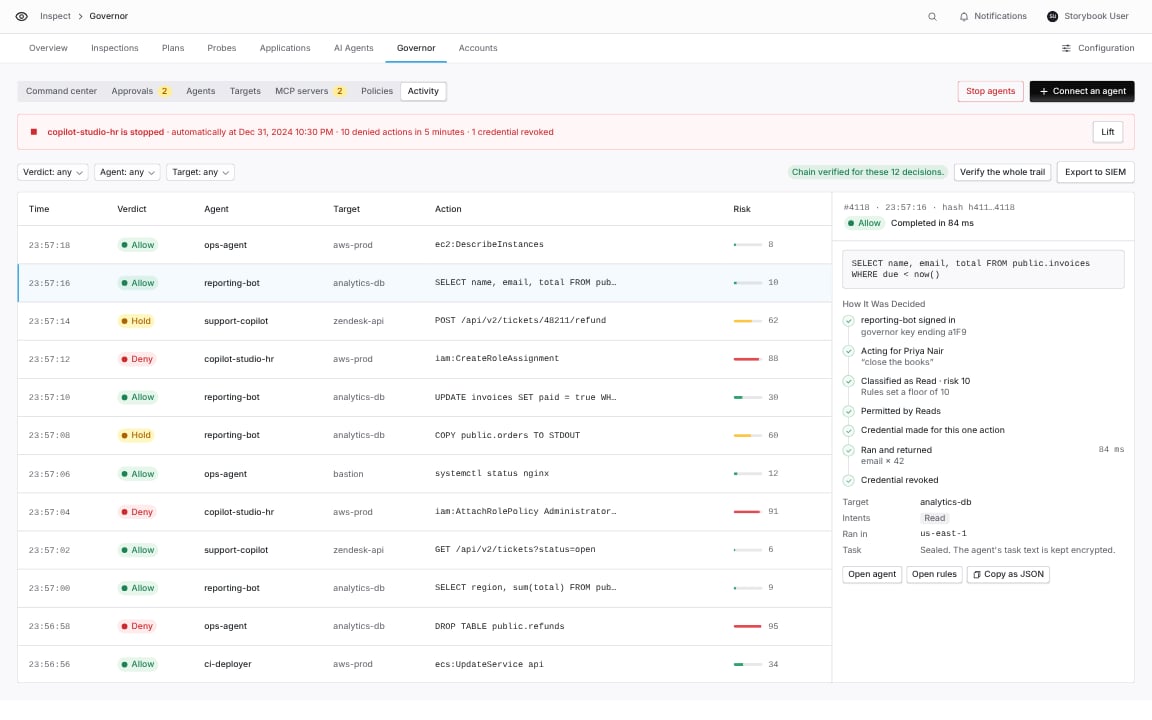
Inspect › Governor › Activity.