

For AI agents: a documentation index is available at https://docs.coverbase.com/llms.txt. This page is also available in markdown by appending .md to the URL.
This guide is part of the User Guides collection. It covers the
@coverbase/governor npm package. For what the governor decides and why, see the Governor product page. For Python, see the Python SDK guide.The package is in early access. Until it is on npm, your Coverbase representative gives you the package to install. The imports and calls on this page do not change when it is published.
Before you start
- In Inspect › Governor › Targets, add the systems the agent may reach.
- In Policies, make sure a baseline lets the agent reach those targets.
- In Agents, select Register agent, select Register, and copy the key from the Connect an agent panel. It is shown once.
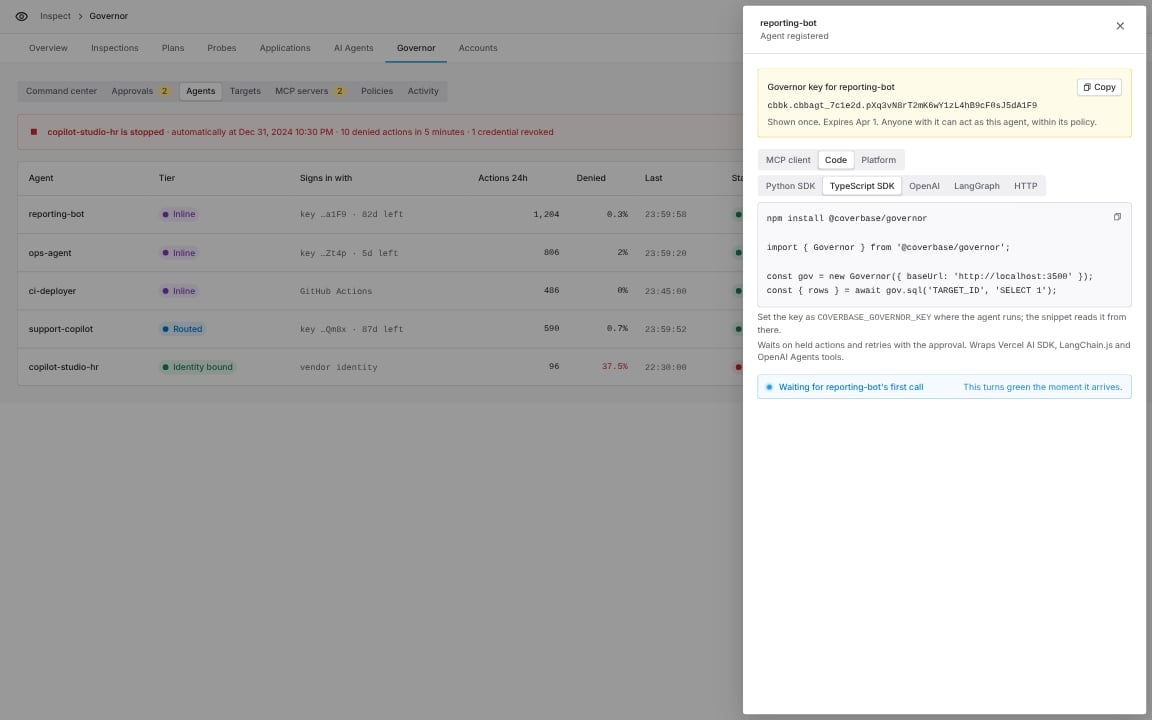
Connect an agent, Code group, TypeScript SDK.
Install
fetch. Install a framework only for the adapter you use: ai for the Vercel AI SDK, @langchain/core for LangChain.js, @openai/agents for the OpenAI Agents SDK.
Configure
process.env, pass key and baseUrl directly.
Your first governed query
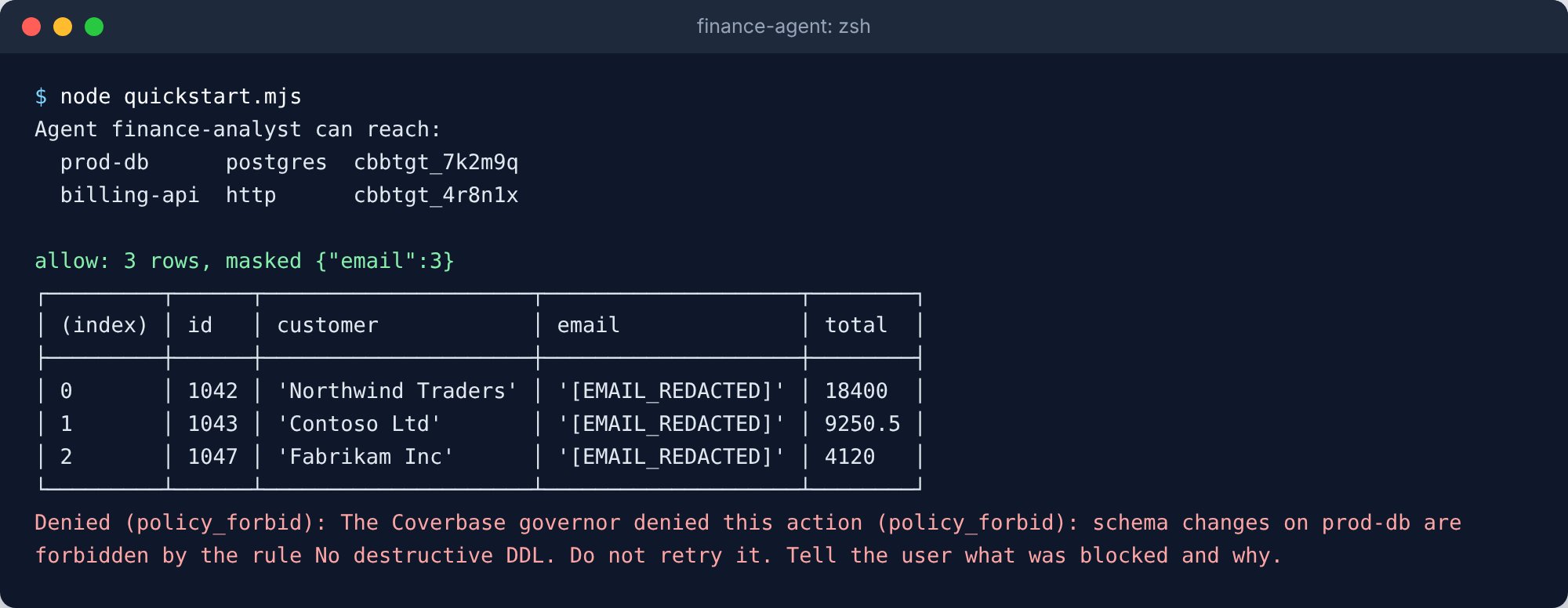
The agent lists its targets, reads invoices with emails masked, and is refused a DROP.
The script behind this screenshot
The script behind this screenshot
quickstart.mjs
Held actions
run and its shortcuts wait for a person when a policy holds the action, then send the identical request again with the approval:

The update is held, the agent waits, and it runs once a person approves.
The script behind this screenshot
The script behind this screenshot
held.mjs
wait: false. The SDK throws ActionHeld with approvalId; pass it back as approvalId later. Pass an AbortSignal as signal to stop waiting; an aborted signal sends nothing.
Govern your agent’s tools
governorTools(gov) builds one tool per target the agent can reach, named and shaped like the governor’s MCP tools, plus governor_identity_token. A governed tool never throws for a policy outcome. It returns { status, message, ... } with status allowed, held, denied or failed, so the model sees why.
- Vercel AI SDK
- LangChain.js and LangGraph
- OpenAI Agents SDK
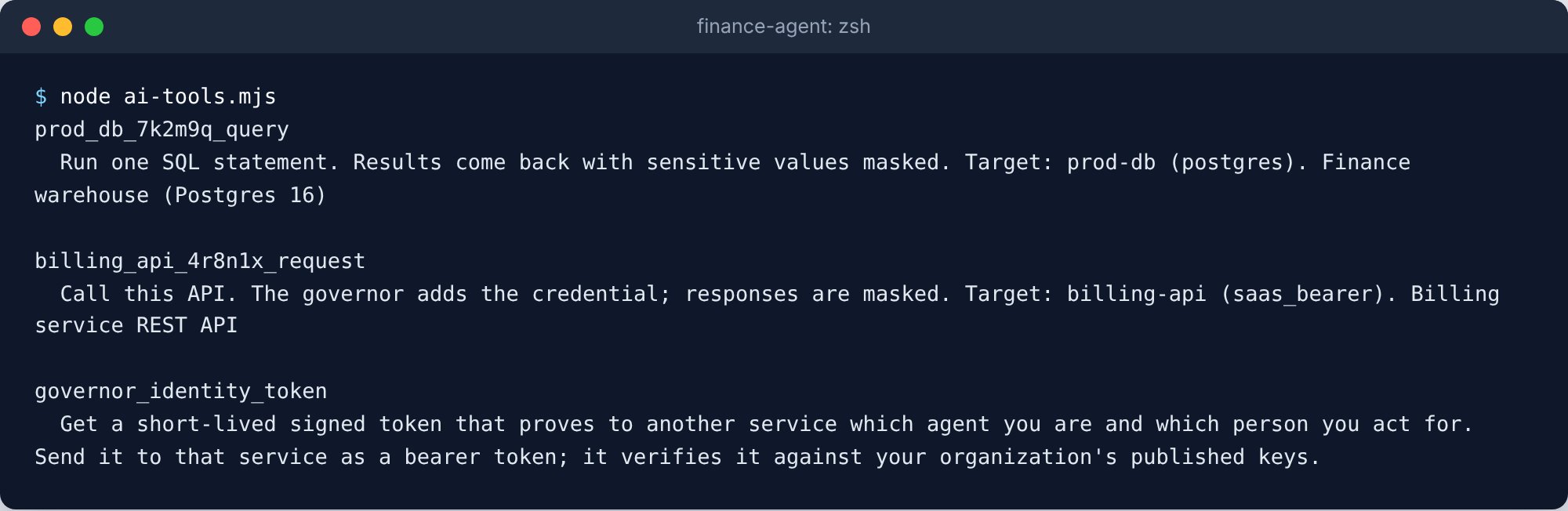
governorTools for the Vercel AI SDK: one tool per reachable target.
The script behind this screenshot
The script behind this screenshot
ai-tools.mjs
Wrap a tool you already have
Each adapter exportsgovernedTool. Give it your own arguments with parameters and build, or the governor’s standard arguments with kind:
purpose, approval_id and delegation_id arguments, like the MCP tools. With onHold: 'return', a held tool returns at once and the model calls it again with approval_id once a person approves.
Drop-in clients
fetch
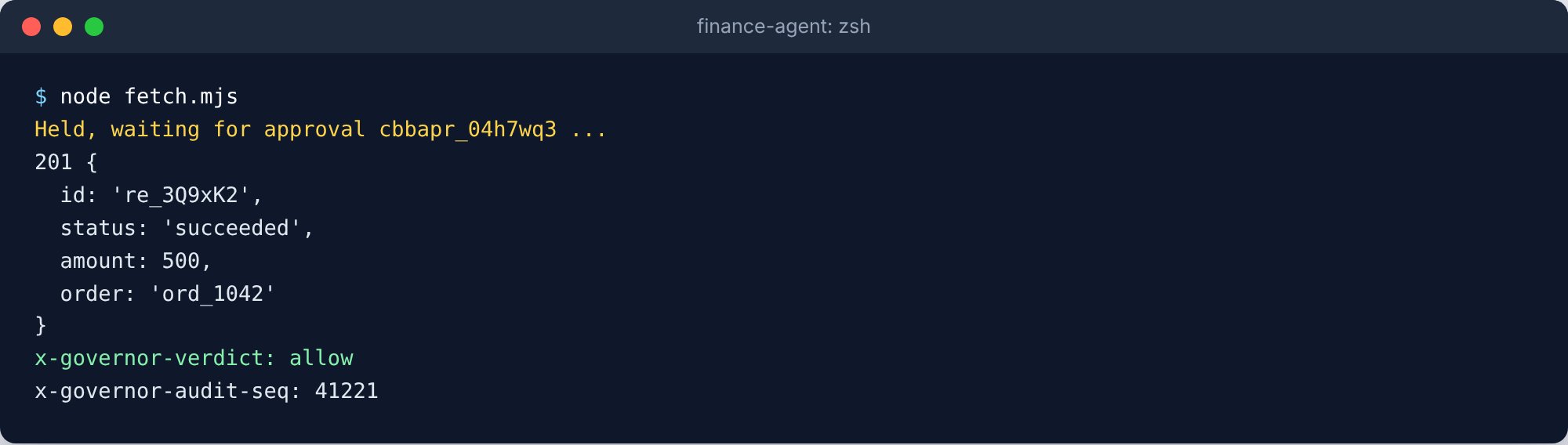
governedFetch returns a real Response with the governor's verdict in its headers.
The script behind this screenshot
The script behind this screenshot
fetch.mjs
Authorization and Cookie headers are dropped. A repeated query key is refused, because the governor’s request carries one value per key. Pass the function to any client that accepts a custom fetch.
Postgres (pg)
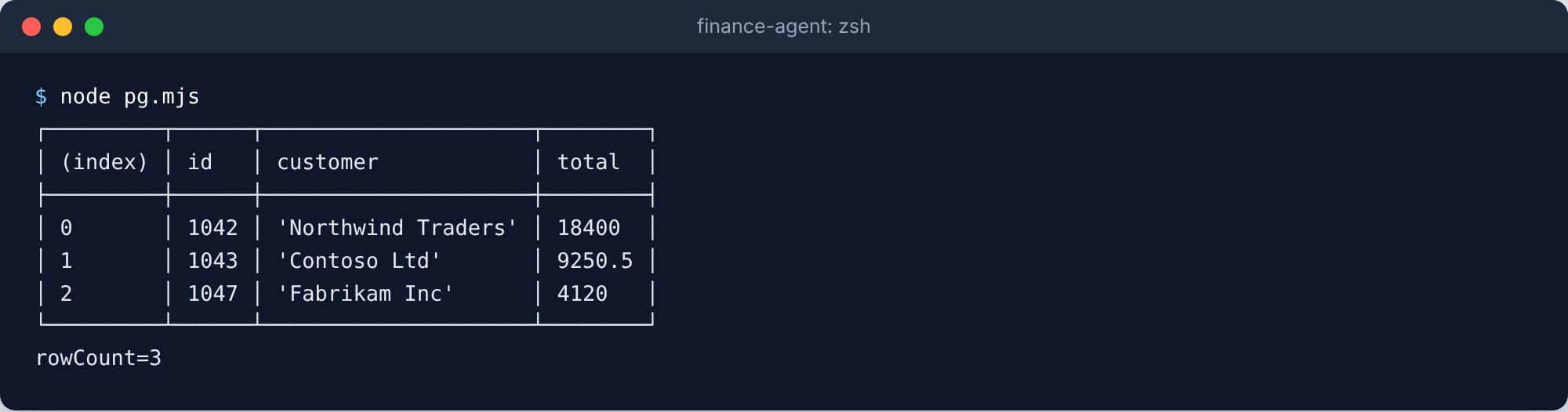
GovernedPool: the pg query API, with each statement governed.
The script behind this screenshot
The script behind this screenshot
pg.mjs
$1 values become quoted literals in the statement. Strings, numbers, bigints, booleans, null, Date, Uint8Array, arrays and plain objects (as jsonb) are supported, and negative numbers are wrapped in parentheses. Each statement is its own action, so there are no transactions across calls.