

For AI agents: a documentation index is available at https://docs.coverbase.com/llms.txt. This page is also available in markdown by appending .md to the URL.
This guide is part of the User Guides collection. It covers the Coverbase Agent Governor scoped app for ServiceNow. For all three platforms at a glance, see Governor platforms.
The app is in early access and is not yet on the ServiceNow Store. Your Coverbase representative gives you the app source to install with the ServiceNow SDK.
Set up the agent in Coverbase
- In Inspect › Governor › Agents, select Register agent and name it after the instance, for example
servicenow-prod. - Copy the key from the Connect an agent panel. Under Platform › ServiceNow, the panel shows the build command, the properties to set and a script call.
- In Policies, give the agent a baseline on the targets it should reach.
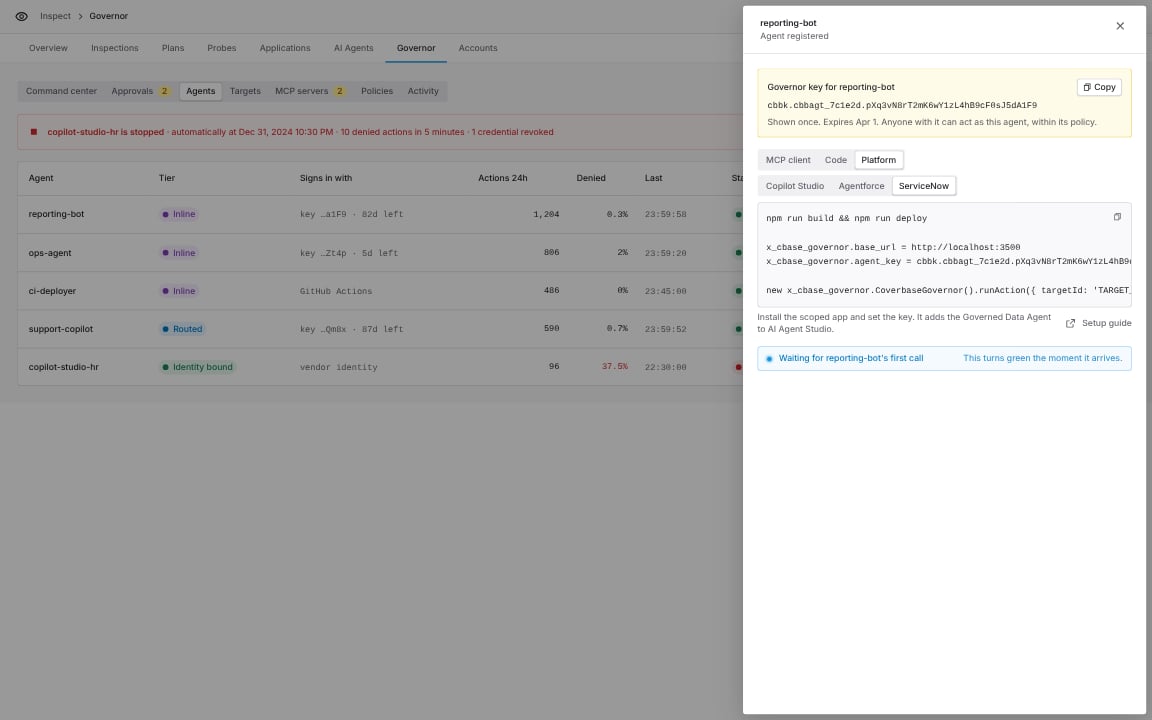
Connect an agent, Platform group, ServiceNow.
Install the app
From the app source:npm run build compiles and checks the app. npm run deploy installs it on the instance you added.
Store the key
Use a credential alias, which ServiceNow recommends:- Open Connections & Credentials › Connection & Credential Aliases and create a credential alias in the app’s scope.
- Create an API Key credential, paste the key, and point it at the alias.
- Set the system property
x_cbase_governor.credential_aliasto the alias’s sys_id.
x_cbase_governor.agent_key to the key.
Then grant the x_cbase_governor.user role to the people who use the agent and to the agent’s run-as user.
Use the Governed Data Agent
Open AI Agent Studio › Create and manage › AI agents › Governed Data Agent. It comes with three tools and instructions for each verdict:- Run governed action asks a person in the conversation to confirm each call before it runs.
- Check governed approval and List governed targets run on their own.
Use it in Flow Designer
The actions and the subflow are in the Coverbase Agent Governor category of the action picker. Run Governed Action
Outputs: Verdict (
allow, hold, deny or error), Reason, Note, Approval ID, Failed and Result JSON. For SQL, Result JSON holds columns, rows, row_count and truncated.
Check Governed Approval takes an Approval ID and returns Status, Approved and Message.
Wait for an approval in a flow
Use Run Governed Action and Wait for Approval when a flow should continue on its own once a person decides: It returns Verdict, Note, Approval ID, Approval Status, Failed and Result JSON. A pending approval expires when its window closes (60 minutes by default), so the loop always ends. If the retry is held again, the subflow returns the new approval ID.Use it from a script
kind: 'http', httpMethod, httpPath, httpBody and, if the target needs them, httpHeaders. To retry after approval, call runAction again with the same inputs and approvalId.
Held actions
Approve once runs only the exact statement it was given for, so a retry must send exactly the same inputs with the approval ID. A different statement is held again with a new approval ID.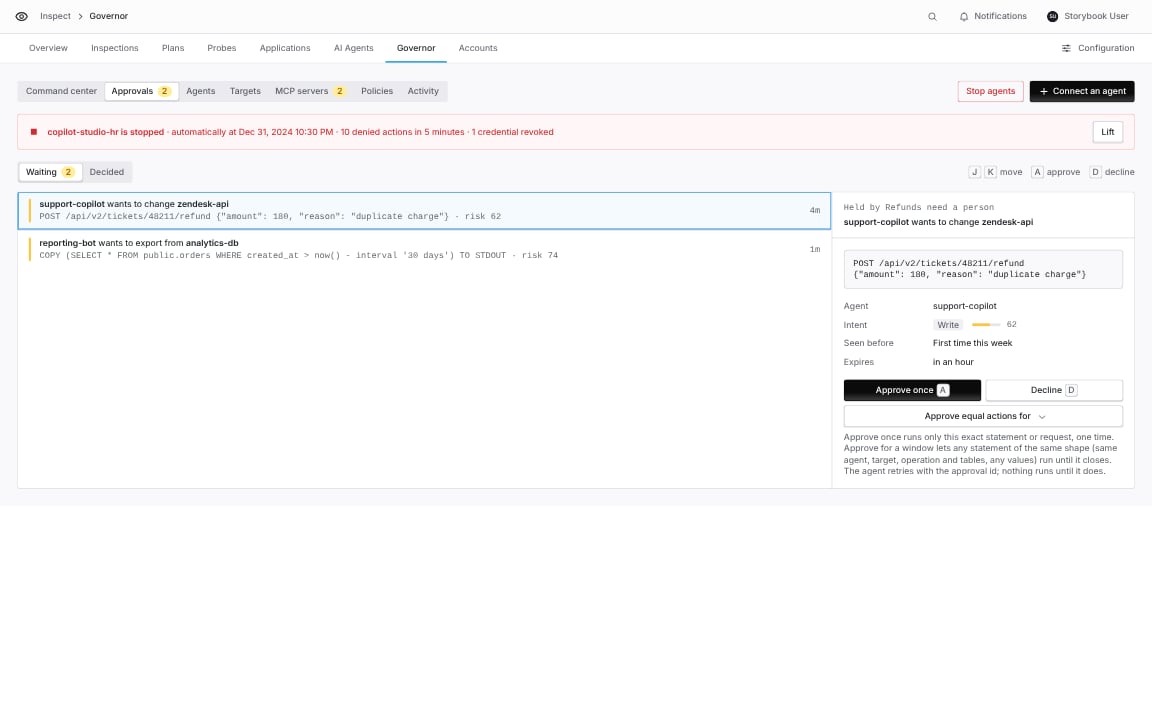
Inspect › Governor › Approvals: the approver sees the exact statement the ServiceNow agent asked to run.
Act for many people
By default every caller acts as the one governor agent whose key the app holds. Two properties change that:x_cbase_governor.use_user_delegation: a call that names no delegation acts on behalf of the caller, using the delegation ID in theirx_cbase_governor.delegation_iduser preference. A caller with no delegation is refused instead of acting as the shared agent. An explicit Delegation ID always works.x_cbase_governor.per_user_credentials: each caller uses the key in their own credential alias, named by theirx_cbase_governor.credential_aliasuser preference. A caller with no alias is refused.
use_user_delegation on, pass Delegation ID to it explicitly.
Check the results in Coverbase
Every call appears in Inspect › Governor › Activity under the governor agent you created.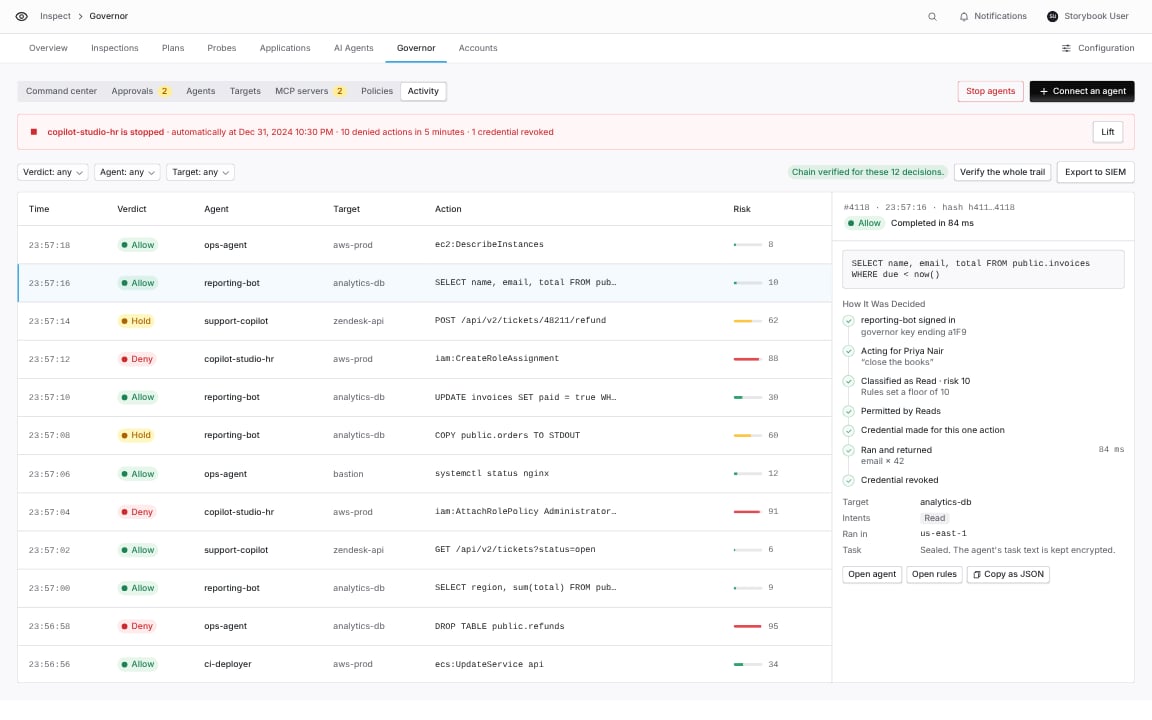
Inspect › Governor › Activity.