

For AI agents: a documentation index is available at https://docs.coverbase.com/llms.txt. This page is also available in markdown by appending .md to the URL.
This guide is part of the User Guides collection. For the cases behind these figures, see Working exceptions. For how an invoice passes or fails, see How matching works.
Team
Open Payables › Performance. Team opens first.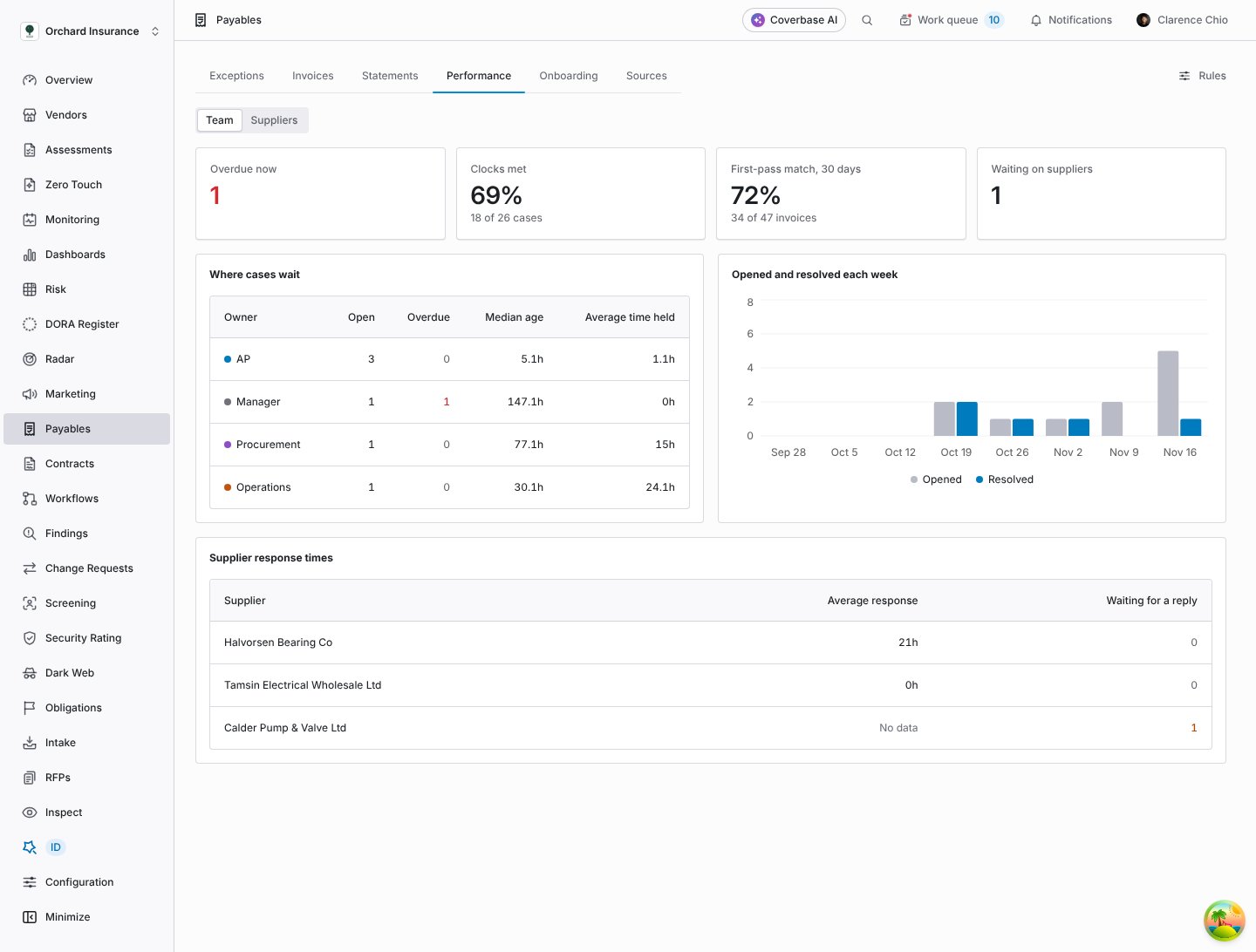
The team view: what is overdue, how many clocks were met, where cases wait and how fast suppliers reply.
Clock figures count only cases Coverbase put a clock on. When some cases are left out, a note under the figures says how many, so you know the size of what was measured.
Suppliers
Suppliers lists every supplier with invoices.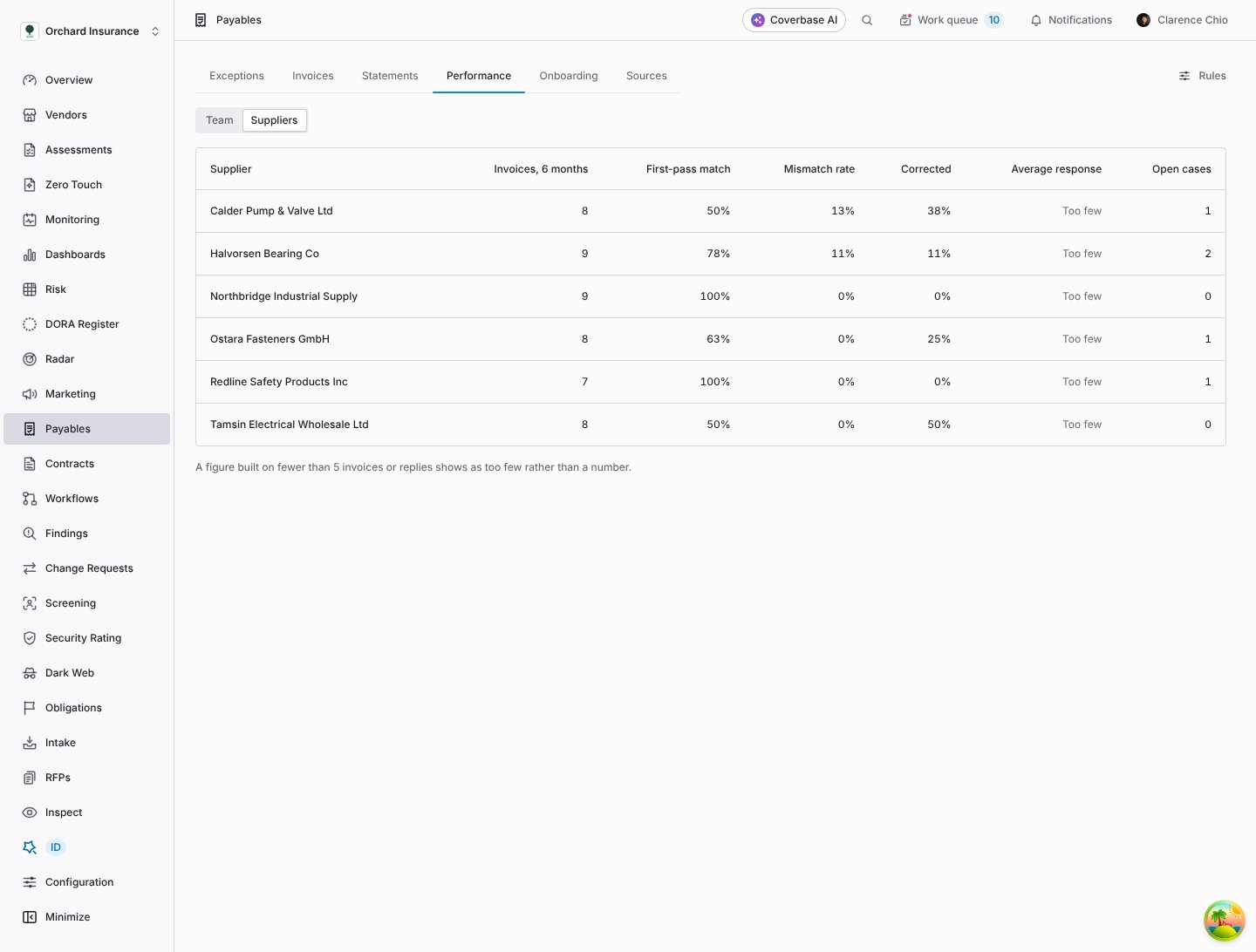
The suppliers view: invoice accuracy per supplier over six months.
A supplier’s scorecard
The scorecard covers the last six months. Each figure opens to show its definition, its monthly trend, the count it is built on, and Show the invoices for the records behind it.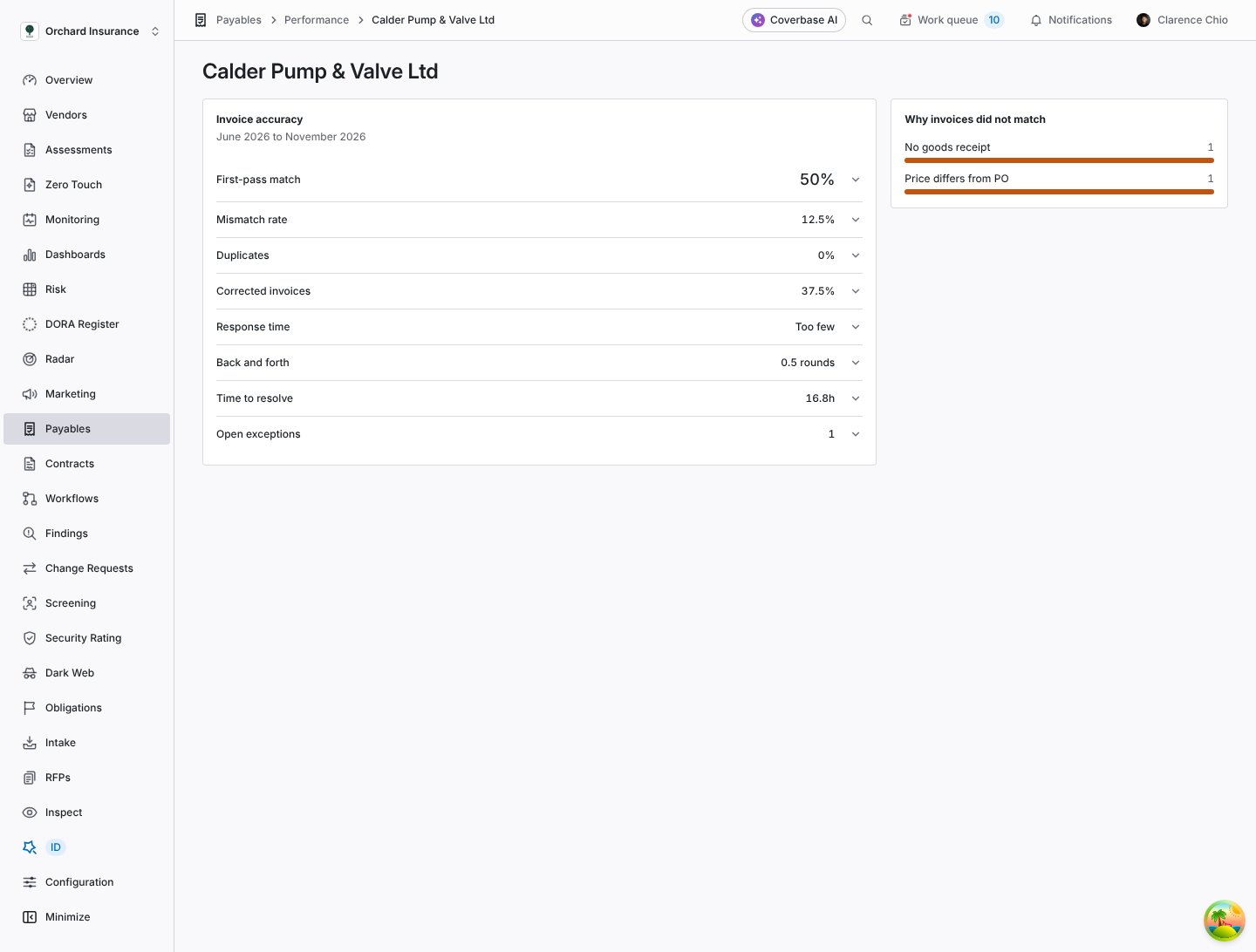
One supplier's invoice scorecard, with why their invoices did not match.
Metric definitions
Why invoices did not match counts invoices per exception reason. It lists every reason, including ones that do not count against the supplier, so you can see your own side’s share too.
Delivery performance (on time, in full, quality) appears when your procurement system sends the supplier’s delivery scorecard. Coverbase shows it as sent, labeled with its source, and does not calculate or change it.
Suppliers see the same scorecard in their portal when Show the invoice scorecard is on, with a link to dispute each figure. They never see other suppliers.
Disputes of a metric
A supplier who thinks a figure is wrong disputes it from their portal for one month. They say why, can name the invoices they think were counted wrongly, and can attach files.- A Scorecard dispute case opens for AP by default.
- The invoices they named leave every figure on their scorecard until the case is resolved.
- That month’s figure shows “Some invoices are under review after a dispute”, on your scorecard and theirs.
- A metric can have one open dispute per month.
Troubleshooting
Related
Working exceptions
The cases behind the team figures.
How matching works
What counts as a first-pass match.
Setting up Payables
The clocks behind clocks met.
Invoices in the supplier portal
The supplier’s view of the scorecard.